cancel
Showing results for 
Search instead for 
Did you mean: 

View all the Fabric Data Days sessions on demand. View schedule

Reply
heidibb
Helper IV
Helper IV

Counting Values to use on rows of matrix

Hello Community!


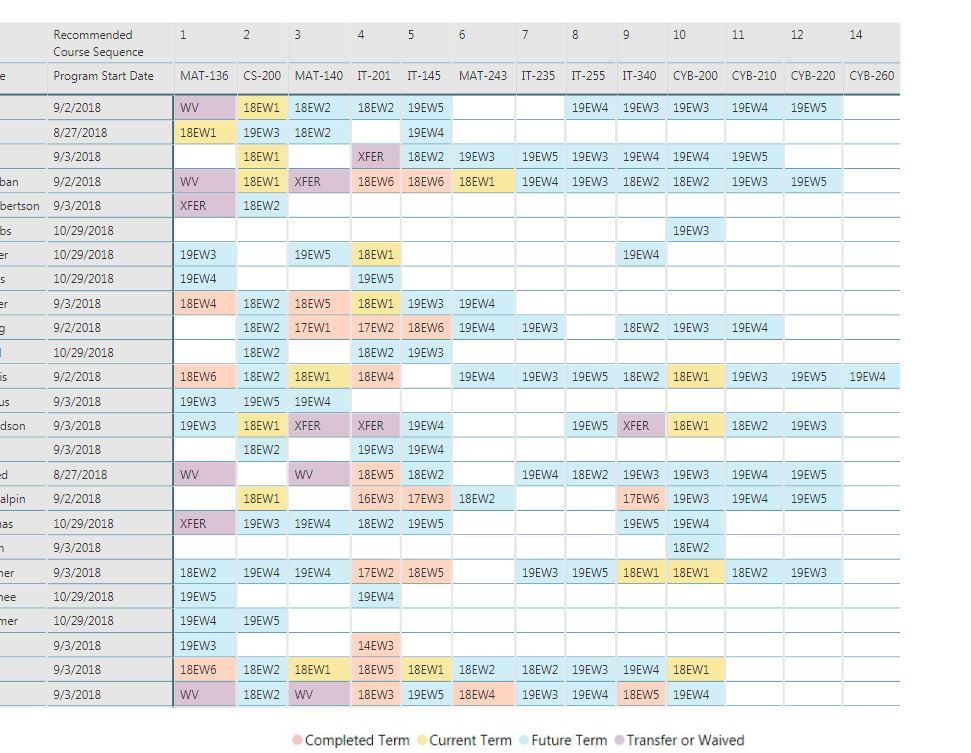
I'm hoping you can help with this. I have a matrix created (picture attached). What I would like to do is count the number of cells that are populated for each person (row) and add that count to the rows.


So my rows would be Name, Start Date, # Courses Taken


If we're looking at the first row of my picture, that value would be 10. The second row would be 4. I would also like to be able to sort on that field as well so we're showing the people that have taken the most courses at the top.


Possible??Capture.JPG

1 ACCEPTED SOLUTION

Thank you so much!

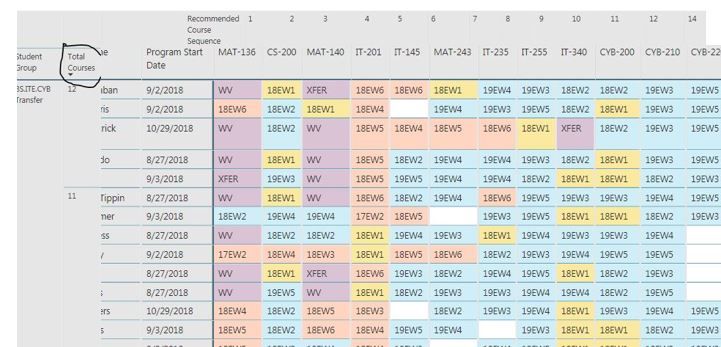
I used your tip to duplicate the data set, but I did it slightly differently. After a few steps, my matrix data set ended up being the person's ID and the sum of the courses taken so I had one unique row per person. Then I could join that "matrix" data set to my main data set and pull that sum of courses taken into my view so I could group and sort on those that have takein the most/least courses. I ultimately needed that # placed into my existing matrix.Capture.JPG

View solution in original post

3 REPLIES 3
BobBI
Resolver III
Resolver III

Hi,


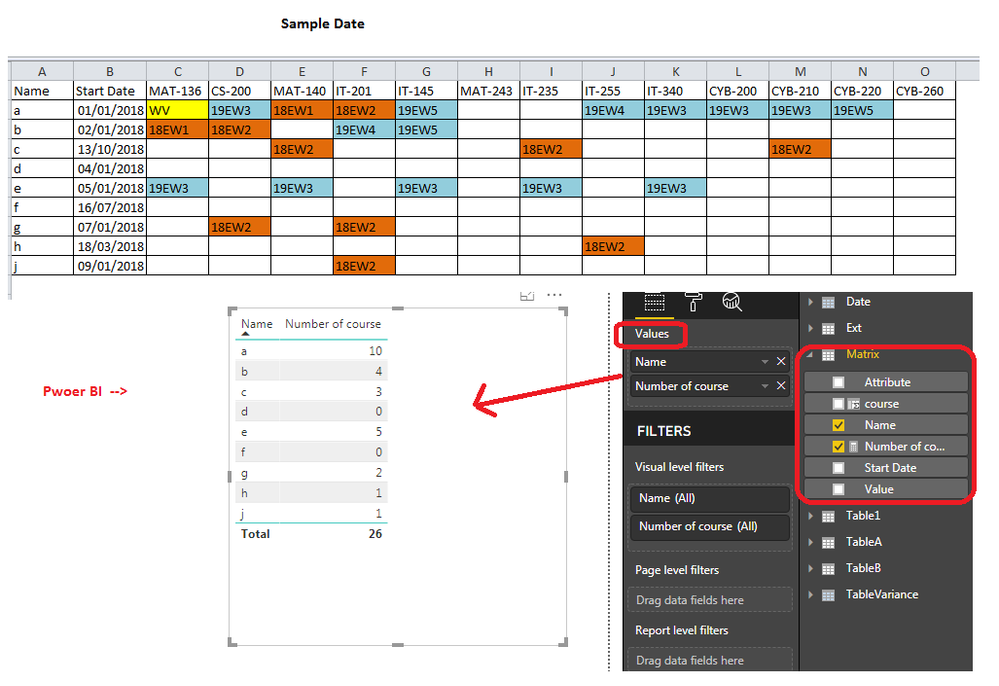
Create a similar data set for easy reference. table name = Matrix

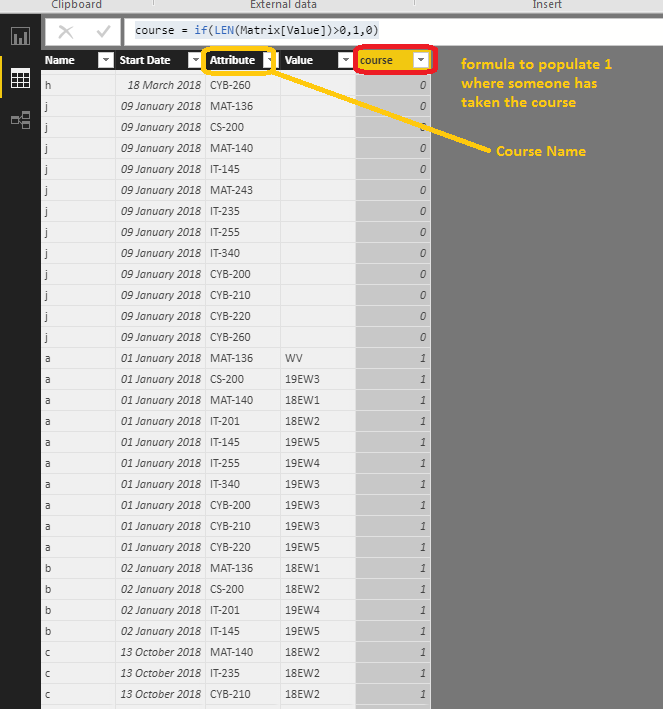
Step1  : select all columns ( 1-14 ) where course name mentions --> unpivot them in query editor. ( see the screenshot after unpivot of data)

step2 : added a coulumn called 'Course' = if(Len(Value)>0,1," ")   - you can poluate 1 or 0 if you like ( idea is to calculate sum of this column)

Step3: create a measure 'Number of Course' =  sum(Matrix[course])


table matrix.png


Drag Name and Number of couse in the table to verify value and play around to create chart of any report.here below is result

sample.png


Hope this helps.


Bob.


Thank you so much!

I used your tip to duplicate the data set, but I did it slightly differently. After a few steps, my matrix data set ended up being the person's ID and the sum of the courses taken so I had one unique row per person. Then I could join that "matrix" data set to my main data set and pull that sum of courses taken into my view so I could group and sort on those that have takein the most/least courses. I ultimately needed that # placed into my existing matrix.Capture.JPG

Great , i wouldn't expect this to exactly same as i did, but more to give an idea to achieve your desire result 🙂

are you able to delivery your report . please post your question if you still have any.


Have a good day.


Helpful resources

Announcements
November Power BI Update Carousel

Power BI Monthly Update - November 2025

Check out the November 2025 Power BI update to learn about new features.

Fabric Data Days Carousel

Fabric Data Days

Advance your Data & AI career with 50 days of live learning, contests, hands-on challenges, study groups & certifications and more!

FabCon Atlanta 2026 carousel

FabCon Atlanta 2026

Join us at FabCon Atlanta, March 16-20, for the ultimate Fabric, Power BI, AI and SQL community-led event. Save $200 with code FABCOMM.

Top Solution Authors
Top Kudoed Authors