Join us at FabCon Atlanta from March 16 - 20, 2026, for the ultimate Fabric, Power BI, AI and SQL community-led event. Save $200 with code FABCOMM.
Register now!The Power BI Data Visualization World Championships is back! Get ahead of the game and start preparing now! Learn more
Hi Community,
I have a matrix table in Power BI. Here I have a list of buckets (sales buckets) and in the matrix table I am showing the values by month as a % of row total.
I have also added a column with the same data but I am unable to display the % (of row total) rather than the sale numbers....
Could you please point me in the right direction?!
Thanks!
Solved! Go to Solution.
Hi @Turquesa
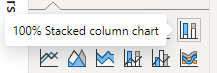
You can try the 100% Stacked column chart. Put Month on X-axis and Sales bucket on Legend. Put sales on Y-axis.
Best Regards,
Jing
If this post helps, please Accept it as Solution to help other members find it. Appreciate your Kudos!
Hi @Turquesa
You can try the 100% Stacked column chart. Put Month on X-axis and Sales bucket on Legend. Put sales on Y-axis.
Best Regards,
Jing
If this post helps, please Accept it as Solution to help other members find it. Appreciate your Kudos!
hi @Turquesa
does this help - Calculate Percentage of Total in Power Query (youtube.com) ?
if not , please provide a sample input and output masking sensitive data.
The Power BI Data Visualization World Championships is back! Get ahead of the game and start preparing now!
Check out the November 2025 Power BI update to learn about new features.
| User | Count |
|---|---|
| 68 | |
| 46 | |
| 44 | |
| 29 | |
| 20 |
| User | Count |
|---|---|
| 202 | |
| 130 | |
| 102 | |
| 71 | |
| 55 |