cancel
Showing results for 
Search instead for 
Did you mean: 

The Power BI Data Visualization World Championships is back! It's time to submit your entry. Live now!

Reply
Anonymous
Not applicable

Connection failure Postgresql on AWS-RDS Instance in a private network from PowerBI Desktop & Servic

Hi all,
I have an AWS RDS (Postgresql) that is inside a private network - only accessable via a VPN and Bastian Host.
 I am able to establish connection  from PBI Desktop to  "Postgresal-RDS Instance." By creating SSh tunneling from my Laptop (localhost) to Bastian Host using   ODBC Driver.With this approach all the data is imported onto PBI desktop(import mode).
 But our requirement is to establish connection through a direct query to refresh data real time and generate the Reports Dynamically which I am not able to.
 I entered the database credentials into the Power BI desktop tool, and it not working correctly in the power bi desktop, getting a TimeOut Error.
 I must use directquery, i can't use import.
 
 Any help is appreciated.
1 ACCEPTED SOLUTION
amitchandak
Super User
Super User

@Anonymous , Please follow this do not miss any steps. Like adding a certificate. Else this will not work


https://community.powerbi.com/t5/Power-Query/Connecting-to-PostgresSQL-hosted-on-AWS-RDS/td-p/135666

Share with Power BI Enthusiasts: Full Power BI Video (20 Hours) YouTube
Microsoft Fabric Series 60+ Videos YouTube
Microsoft Fabric Hindi End to End YouTube

View solution in original post

2 REPLIES 2
amitchandak
Super User
Super User

@Anonymous , Please follow this do not miss any steps. Like adding a certificate. Else this will not work


https://community.powerbi.com/t5/Power-Query/Connecting-to-PostgresSQL-hosted-on-AWS-RDS/td-p/135666

Share with Power BI Enthusiasts: Full Power BI Video (20 Hours) YouTube
Microsoft Fabric Series 60+ Videos YouTube
Microsoft Fabric Hindi End to End YouTube
Anonymous
Not applicable

Thanks amitchandak .

Sorry for late reply .

Following the above steps Installing the Cerificate in desktop solve the  issue in  desktop .

am able to establish direct query from PBI Desktop tool to RDS(postgres).

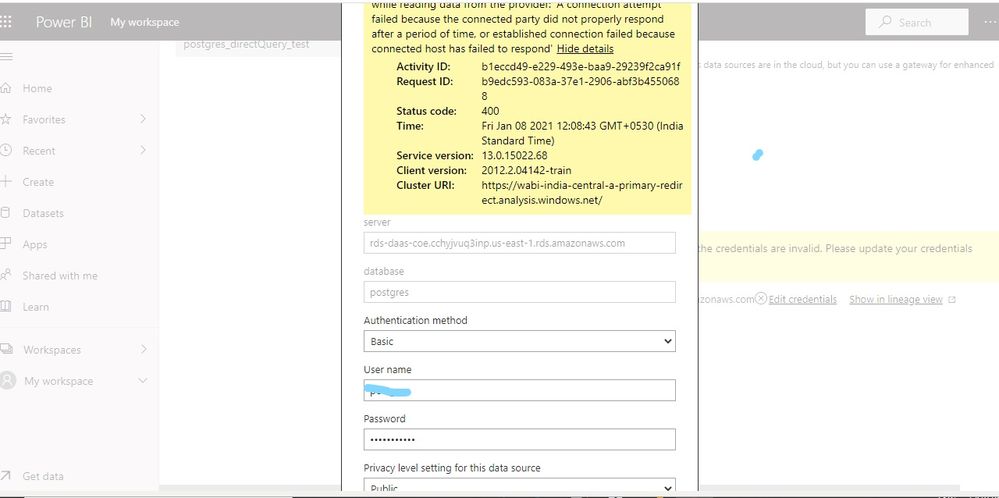
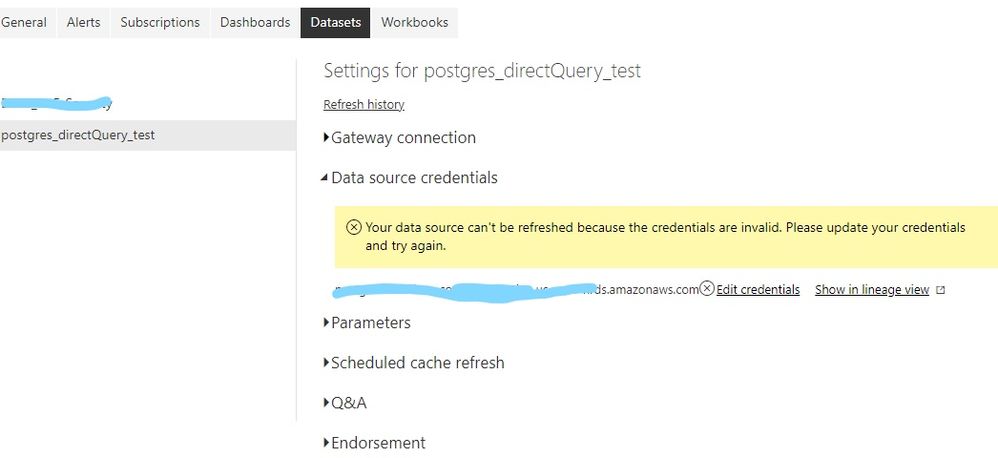
           But After publishing the  report to Service (https://app.powerbi.com/) again am facing same issue .

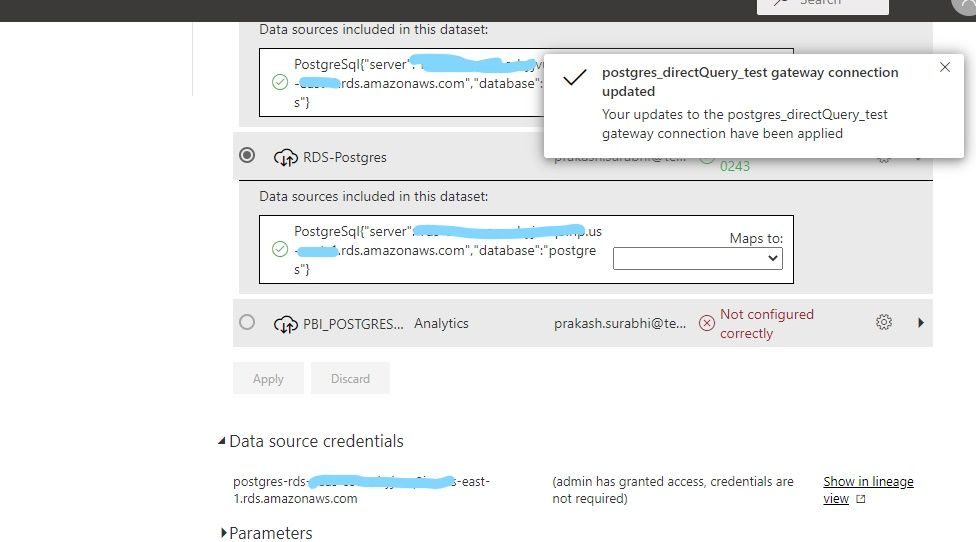
But when I install the gateway in my laptop we are able  to connect and refresh.

1)But my requirement is  without Gate way to connect direct query .how to achive this?

2)if the Gateway is necessary ,where  to install ?  on RDS instance?  how to install on linux servers ?


Plz suggest me the correct  way .


without gateway ERRORwithout gateway ERRORconnected with On-premise Gatewayconnected with On-premise Gatewaywithout gateway ERRORwithout gateway ERROR


Helpful resources

Announcements
Power BI DataViz World Championships

Power BI Dataviz World Championships

The Power BI Data Visualization World Championships is back! It's time to submit your entry.

January Power BI Update Carousel

Power BI Monthly Update - January 2026

Check out the January 2026 Power BI update to learn about new features.

FabCon Atlanta 2026 carousel

FabCon Atlanta 2026

Join us at FabCon Atlanta, March 16-20, for the ultimate Fabric, Power BI, AI and SQL community-led event. Save $200 with code FABCOMM.