
cancel
Showing results for 
Search instead for 
Did you mean: 

The Power BI Data Visualization World Championships is back! Get ahead of the game and start preparing now! Learn more

Reply
Anonymous
Not applicable

Connect R Script to Power BI

Hi Community, I am trying to connect an R Script to my Power BI Desktop and I get this error in every attempt: 

tjwebber_0-1619108223920.png

The ADO.NET error I get is "The request is not supported"  which is not the same as -> ADO.NET: Rscript error - Cannot find Dataset 

In the past I have been able to connect an R Script to Power BI under R's 3.5.2 version.  I am currently using R 4.0.3, when that did not work, I went back and installed R 3.5.2, but that also did not work.

I read that specificing the library path in the code would work, but I had no such luck. 
  -  Example code:  library(dyplr, lib.loc = "\\\\example_server/FolderRedirection/my_name/My Documents/R/R-4.0.3/library")  


The only other thing I can think of is Power BI cannot read the path of my working directory.  My script is set up to pull a list of excell files from a folder so it can aggregate them into one dataframe that will be used in Power BI.  Could Power BI be having trouble following the directory path I have set up that brings in my data?  If so, how can I address that?

I would appreciate any help in this matter!  Thanks again.

2 REPLIES 2
v-kkf-msft
Community Support
Community Support

Hi @Anonymous ,


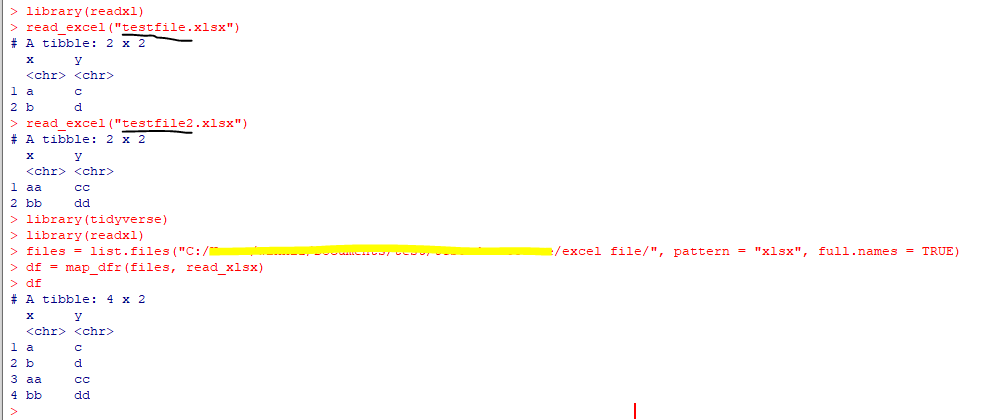
I guess it is due to your script error, try the following script:


setwd('<Your file path e.g.C:/Users/files>')
library(tidyverse)
library(readxl)
files = list.files("<Your file path e.g.C:/Users/files/>", pattern = "xlsx", full.names = TRUE)
df = map_dfr(files, read_xlsx)    
df


image.png

image.png


If the problem is still not resolved, please provide detailed error information or the expected result you expect. Let me know immediately, looking forward to your reply.

Best Regards,
Winniz

If this post helps, then please consider Accept it as the solution to help the other members find it more quickly.

v-kkf-msft
Community Support
Community Support

Hi @Anonymous ,


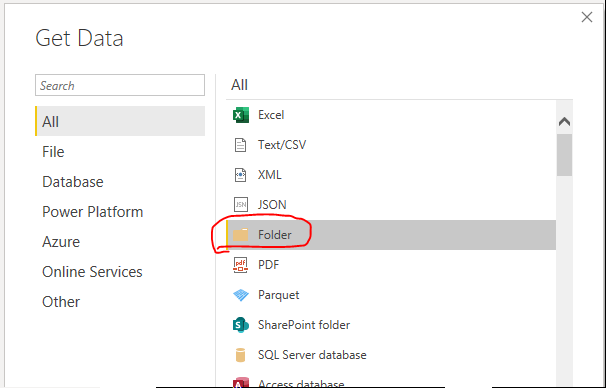
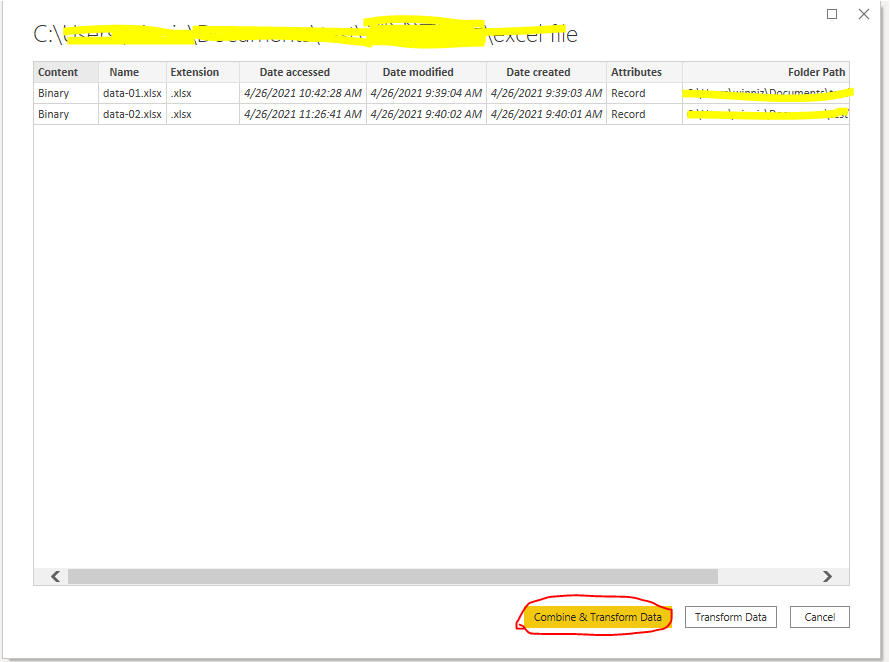
In Power Query you can easily merge multiple excels in a file.


image.pngimage.pngimage.png

If the problem is still not resolved, please provide detailed error information or the expected result you expect. Let me know immediately, looking forward to your reply.

Best Regards,
Winniz

If this post helps, then please consider Accept it as the solution to help the other members find it more quickly.

Helpful resources

Announcements
Power BI DataViz World Championships

Power BI Dataviz World Championships

The Power BI Data Visualization World Championships is back! Get ahead of the game and start preparing now!

December 2025 Power BI Update Carousel

Power BI Monthly Update - December 2025

Check out the December 2025 Power BI Holiday Recap!

FabCon Atlanta 2026 carousel

FabCon Atlanta 2026

Join us at FabCon Atlanta, March 16-20, for the ultimate Fabric, Power BI, AI and SQL community-led event. Save $200 with code FABCOMM.