cancel
Showing results for 
Search instead for 
Did you mean: 

The Power BI Data Visualization World Championships is back! Get ahead of the game and start preparing now! Learn more

Reply
Anonymous
Not applicable

Conditional column PowerBI

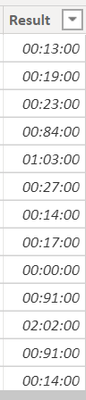
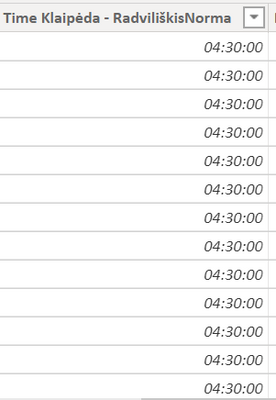
So basically first column you see with the time values, but in format as a whole number. Second column should be the drive time norm that should not be exceeded. Now the third column should do the following: If first column(klaipėda - radviliškis) exceeds second column value, then we should return the difference between the two(actual first column and second column). If first column value does not exceed second column, then we should just return actual time in the first column. 

Gediminas12_0-1600412176354.png

4 REPLIES 4
Anonymous
Not applicable

Hi @Anonymous ,


It is suggested to convert the two columns of time values into time types. Then you can easily calculate the difference.

7.png8.png


The measure is this. Then you need to select Time formats as the format of the measure.

Difference =
IF (
    MAX ( 'Table'[klaipėda - radviliškis] ) > MAX ( 'Table'[earliest] ),
    MAX ( 'Table'[klaipėda - radviliškis] ) - MAX ( 'Table'[earliest] )
)

5.png


The result is this.

9.png


You can check more details from here.


Best Regards,

Stephen Tao


If this post helps, then please consider Accept it as the solution to help the other members find it more quickly.

Anonymous
Not applicable

@v-stephen-msft Many thanks for your help, one more thing: I created a custom column to return the actual time value if the time exceeds the norm and if it did not, then just return the actual time value, like shown below. If the Time column exceeds 4:30, then it shows difference, if not, it returns the actual time value.

However, i need to display it into the histogram and show the actual value below 4:30 or 4:30 in the green color and then if it exceeds it would add on the column and show it in red, something like that below. Any ideas what measure should be created?

Gediminas12_3-1600686610474.png

Gediminas12_2-1600686462035.png

Gediminas12_1-1600686444317.png

Gediminas12_0-1600686427862.png

Anonymous
Not applicable

Hi @Anonymous ,


Because if you put the value of the time type in the Values of the histogram, there can only be two aggregation operations, Count and Count (Distinct), so I changed it to display the percentage of time.

1.png


1.Add an index column and create these calculated columns.

TIME = TIME(23,59,59)
Percentage = [klaipėda - radviliškis]/[TIME]
below 4:30 or 4:30 = IF([klaipėda - radviliškis]>[klaipėda - radviliškisNorma],[klaipėda - radviliškisNorma]/[TIME],[Percentage])
above 4:30 = [Percentage]-[below 4:30 or 4:30]

2.png


2.Create a Stacked column chart and a martix. Then combine them.

3.png4.png5.png


You can check more details from here.


Best Regards,

Stephen Tao


If this post helps, then please consider Accept it as the solution to help the other members find it more quickly.

Anonymous
Not applicable

@Anonymous Many thanks for your help, one more thing: I created a custom column to return the actual time value if the time exceeds the norm and if it did not, then just return the actual time value, like shown below. If the Time column exceeds 4:30, then it shows difference, if not, it returns the actual time value. 

However, i need to display it into the histogram and show the actual value below 4:30 or 4:30 in the green color and then if it exceeds it would add on the column and show it in red, something like that below. Any ideas what measure should be created? 

Gediminas12_3-1600686610474.png


Gediminas12_2-1600686462035.png


Gediminas12_1-1600686444317.png


Gediminas12_0-1600686427862.png

Helpful resources

Announcements
Power BI DataViz World Championships

Power BI Dataviz World Championships

The Power BI Data Visualization World Championships is back! Get ahead of the game and start preparing now!

December 2025 Power BI Update Carousel

Power BI Monthly Update - December 2025

Check out the December 2025 Power BI Holiday Recap!

FabCon Atlanta 2026 carousel

FabCon Atlanta 2026

Join us at FabCon Atlanta, March 16-20, for the ultimate Fabric, Power BI, AI and SQL community-led event. Save $200 with code FABCOMM.