cancel
Showing results for 
Search instead for 
Did you mean: 

The Power BI Data Visualization World Championships is back! Get ahead of the game and start preparing now! Learn more

Reply
RhysGoodwin
Frequent Visitor

Columns missing with SQL Datareader Permission

Hi,


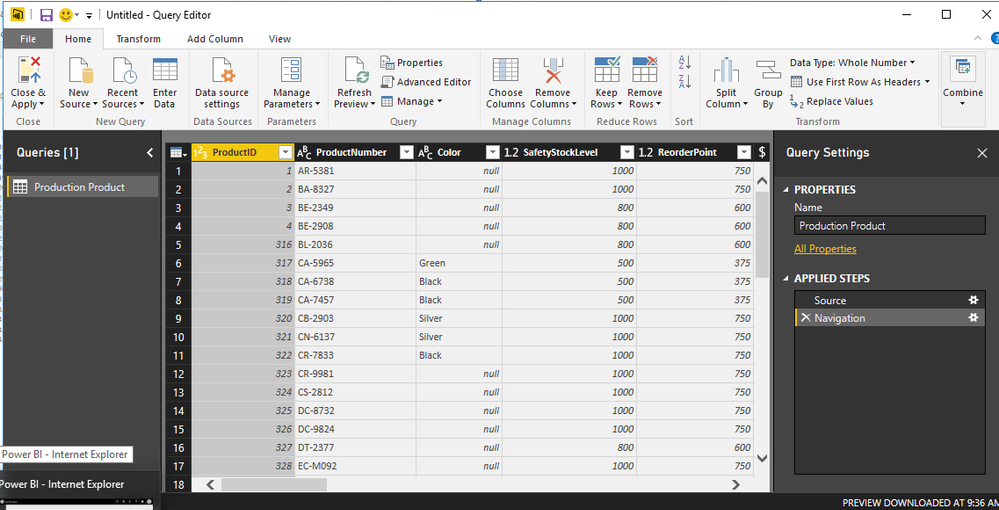
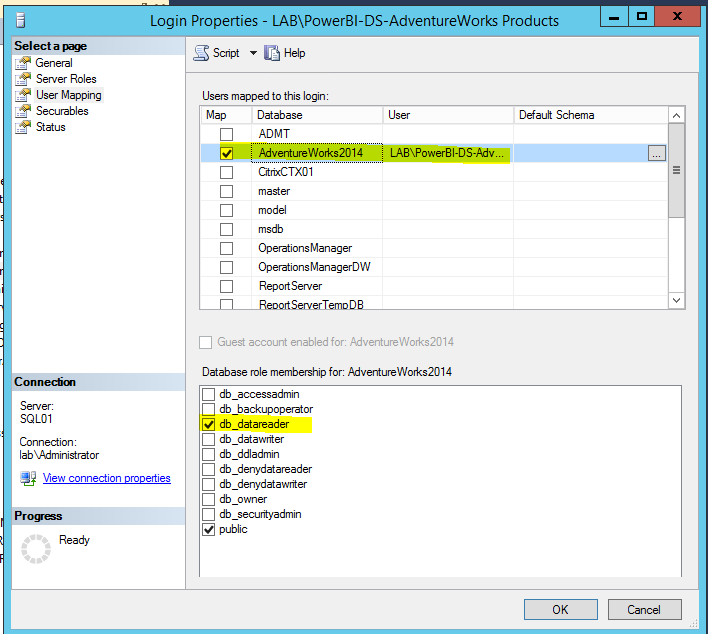
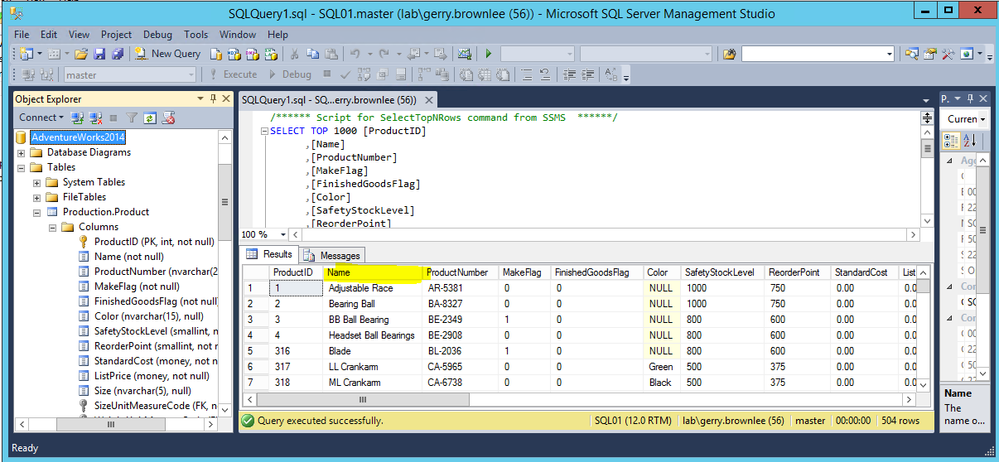
I have an SQL DB. I've given a group datareader access. When the user uses SSMS they can see all the columns in the product table but when they connect via Power BI Desktop some columns are missing. In particular the name column:


 SSMS.PNGPBIColumnMissing.PNG

SQLPermissions.PNG

As soon as I give the group db_owner access and refresh the preview in the query editor the 'name' column appears!


PBI Desktop Version is  2.44.4675.521 64-bit (March/2017)


Any thoughts would be much appreciated.


Cheers,

Rhys


1 ACCEPTED SOLUTION
v-haibl-msft
Microsoft Employee
Microsoft Employee

@RhysGoodwin


Please refer to the response from Product Team as below.


The reason for this is that the "Name" column has a user-defined type "Name". We currently try to read user-defined type data from sys.types and when that fails, the column gets excluded. We've filed bug to look into relaxing this requirement.

Meanwhile, there are two workarounds possible:

1) For every user-defined type that needs to be visible by this user, grant "view definition" on that type with "grant view definition on TYPE::typename to username"

2) Grant the user "view definition" on the entire database with "use databasename; grant view definition to username"

The first might be a little tedious, but the second might be a little too broad.


Best Regards,
Herbert

View solution in original post

4 REPLIES 4
v-haibl-msft
Microsoft Employee
Microsoft Employee

@RhysGoodwin


Please refer to the response from Product Team as below.


The reason for this is that the "Name" column has a user-defined type "Name". We currently try to read user-defined type data from sys.types and when that fails, the column gets excluded. We've filed bug to look into relaxing this requirement.

Meanwhile, there are two workarounds possible:

1) For every user-defined type that needs to be visible by this user, grant "view definition" on that type with "grant view definition on TYPE::typename to username"

2) Grant the user "view definition" on the entire database with "use databasename; grant view definition to username"

The first might be a little tedious, but the second might be a little too broad.


Best Regards,
Herbert
Thanks very much Herbert. 

v-caliao-msft
Microsoft Employee
Microsoft Employee

Hi @RhysGoodwin,


I have tested it on my local environemnt, we can reproduce this issue. I will report this issue internally, and post here if there are any updates.


Besides, based on my tested, the issue only occurs on DirectQuery. To workaround this issue, you can use import mode to import the data into Power BI.


Regards,

Charlie Liao

Thanks Charlie. Good to know it's not just me.


Cheers,

Rhys


Helpful resources

Announcements
Power BI DataViz World Championships

Power BI Dataviz World Championships

The Power BI Data Visualization World Championships is back! Get ahead of the game and start preparing now!

December 2025 Power BI Update Carousel

Power BI Monthly Update - December 2025

Check out the December 2025 Power BI Holiday Recap!

FabCon Atlanta 2026 carousel

FabCon Atlanta 2026

Join us at FabCon Atlanta, March 16-20, for the ultimate Fabric, Power BI, AI and SQL community-led event. Save $200 with code FABCOMM.