cancel
Showing results for 
Search instead for 
Did you mean: 

The Power BI Data Visualization World Championships is back! Get ahead of the game and start preparing now! Learn more

Reply
Anshenterprices
Helper IV
Helper IV

Clickable functionality is not working

Hi Team,


source Data:


T1
CatergorySub CategoryValueDate
Equity 9816/8/2021
EquityCash4016/8/2021
EquityDel5016/8/2021
Comm 8016/8/2021
CommCommFut3616/8/2021
Commcommopt6716/8/2021
FNO 7516/8/2021
FNOFuture4516/8/2021
FNOOption3816/8/2021


Ouptut:-


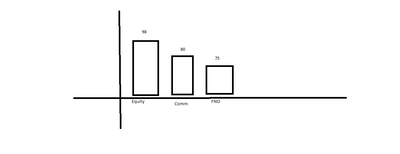
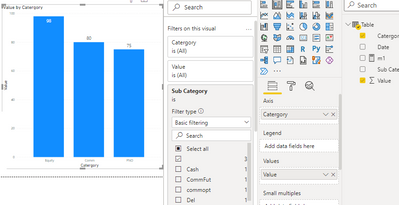
First visual Bar chart

Anshenterprices_0-1629131076909.png

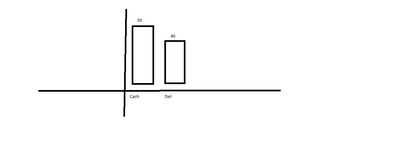
when i click on equity bar chart it should display in the second visual bar it should display like below:-


second visual bar chart:-

Anshenterprices_1-1629131553103.png


1 ACCEPTED SOLUTION
Anonymous
Not applicable

Hi @Anshenterprices ,


Based on my test, you can create the following measure

Measure =
IF (
    HASONEVALUE ( 'Table'[Sub Category] ),
    CALCULATE (
        SUM ( 'Table'[Value] ),
        FILTER ( 'Table', [Sub Category] <> BLANK () )
    ),
    CALCULATE (
        SUM ( 'Table'[Value] ),
        FILTER ( 'Table', [Sub Category] = BLANK () )
    )
)


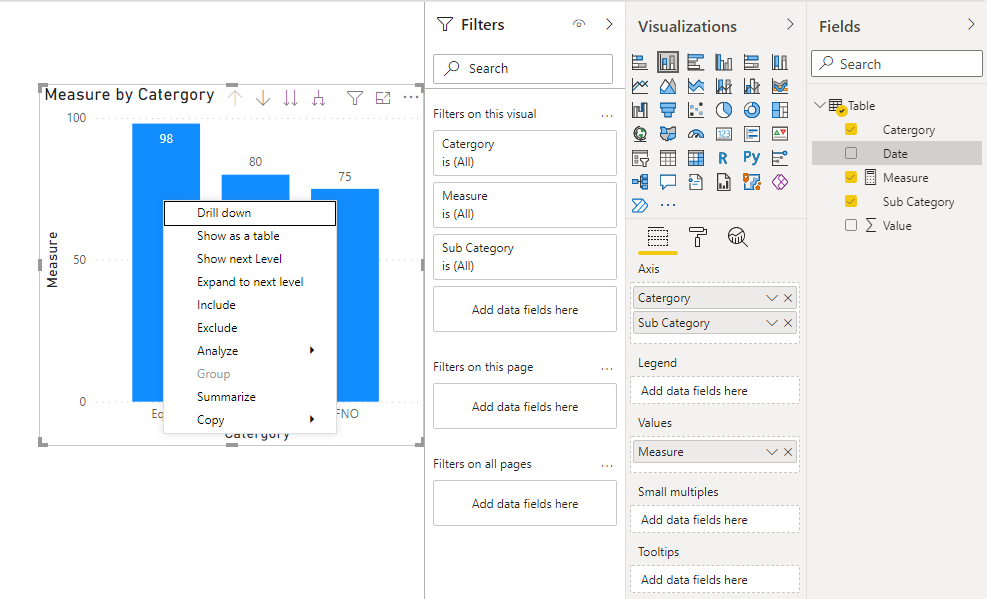
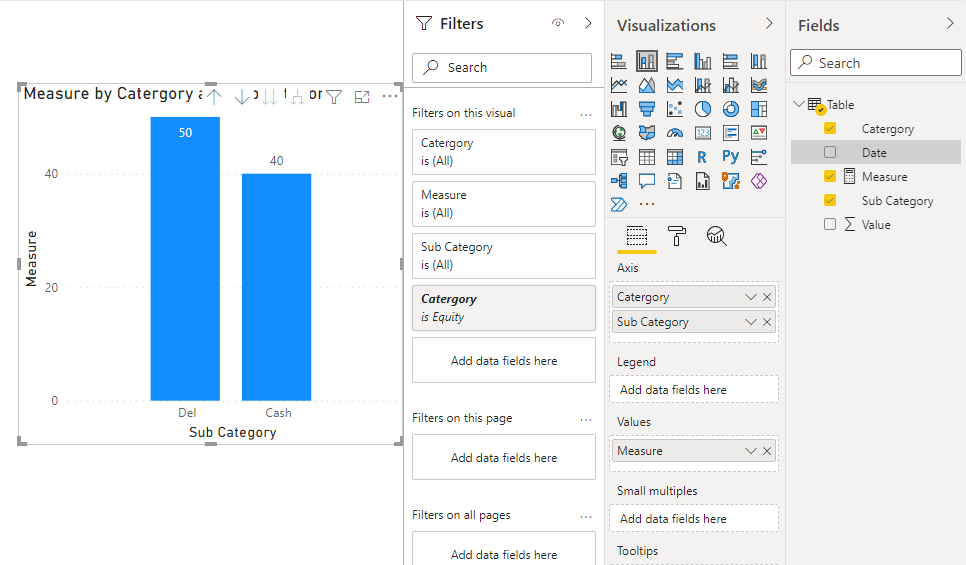
Then create the following visual, right-click Equity and select Drill down

8.png9.png


Best Regards,

Stephen Tao


If this post helps, then please consider Accept it as the solution to help the other members find it more quickly.

View solution in original post

3 REPLIES 3
Anonymous
Not applicable

Hi @Anshenterprices ,


Based on my test, you can create the following measure

Measure =
IF (
    HASONEVALUE ( 'Table'[Sub Category] ),
    CALCULATE (
        SUM ( 'Table'[Value] ),
        FILTER ( 'Table', [Sub Category] <> BLANK () )
    ),
    CALCULATE (
        SUM ( 'Table'[Value] ),
        FILTER ( 'Table', [Sub Category] = BLANK () )
    )
)


Then create the following visual, right-click Equity and select Drill down

8.png9.png


Best Regards,

Stephen Tao


If this post helps, then please consider Accept it as the solution to help the other members find it more quickly.

amitchandak
Super User
Super User

@Anshenterprices , create first bar visual on Category.


Second on subcategory


And in second you can have measure  like


if(isfiltered(Table[Category]), calculate(sum(Table[Value]) , not(isblank([subcategory ]))), blank())

Share with Power BI Enthusiasts: Full Power BI Video (20 Hours) YouTube
Microsoft Fabric Series 60+ Videos YouTube
Microsoft Fabric Hindi End to End YouTube

@amitchandak its not an aggregate value .

T1
CatergorySub CategoryValueDate
Equity 9816/8/2021
EquityCash4016/8/2021
EquityDel5016/8/2021
Comm 8016/8/2021
CommCommFut3616/8/2021
Commcommopt6716/8/2021
FNO 7516/8/2021
FNOFuture4516/8/2021
FNOOption3816/8/2021


First Visual

Anshenterprices_0-1629171290826.png


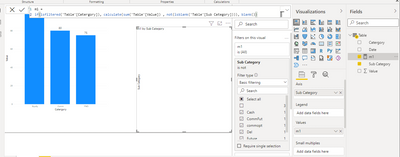
second visual:- showing empty

Anshenterprices_1-1629171529687.png


Helpful resources

Announcements
Power BI DataViz World Championships

Power BI Dataviz World Championships

The Power BI Data Visualization World Championships is back! Get ahead of the game and start preparing now!

December 2025 Power BI Update Carousel

Power BI Monthly Update - December 2025

Check out the December 2025 Power BI Holiday Recap!

FabCon Atlanta 2026 carousel

FabCon Atlanta 2026

Join us at FabCon Atlanta, March 16-20, for the ultimate Fabric, Power BI, AI and SQL community-led event. Save $200 with code FABCOMM.