Join us at FabCon Atlanta from March 16 - 20, 2026, for the ultimate Fabric, Power BI, AI and SQL community-led event. Save $200 with code FABCOMM.
Register now!The Power BI Data Visualization World Championships is back! Get ahead of the game and start preparing now! Learn more
My client is wanting a circle graph that shows what part of the budget has been used. For instance the circle graph full circle is the budget number less use an example of 1000.00 then he wants to show that 850.00 was used so the graph would show 85 percent of the circle complete. Is that possible somewhere.
Solved! Go to Solution.
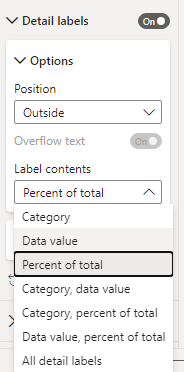
Yep, you should be able to use the pie chart visualisation and then turn on percentages under Format Visual > Detail Labels to see the actual percentage in a label.
Hi @kdixon5490 ,
I also agree with @vicky_ 's suggestion.
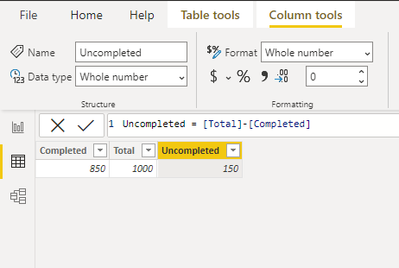
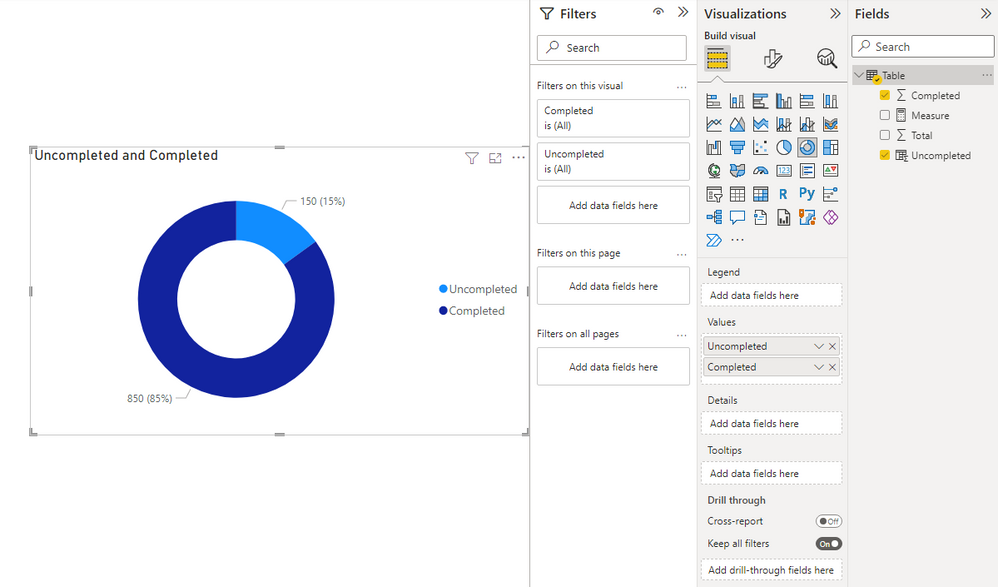
I would like to add something, when you have a column with completed value and a column with uncompleted value, you can create a visual below.
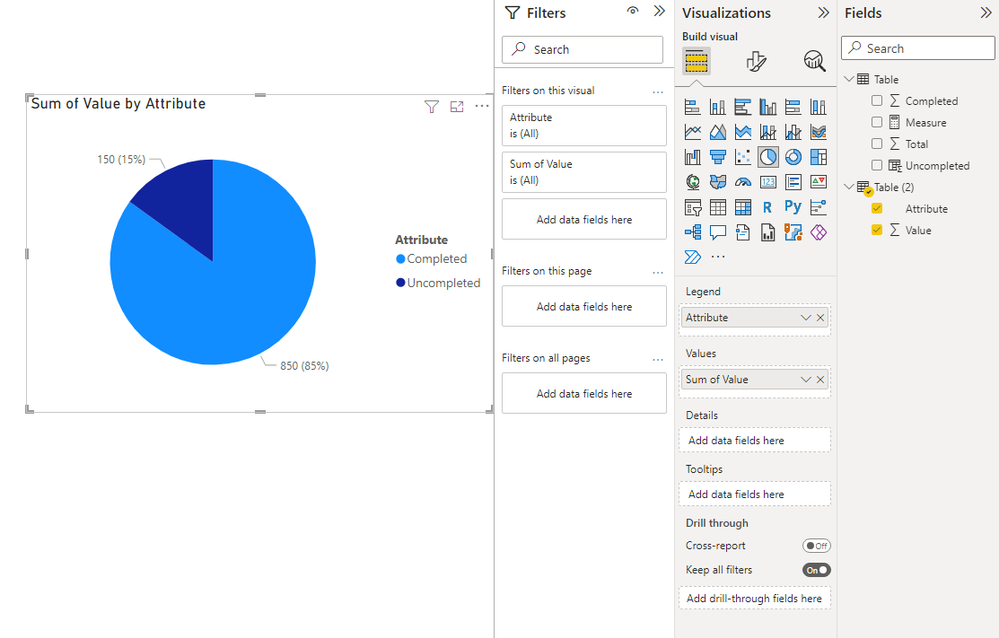
If you have a table as follows, also work.
Best Regards,
Stephen Tao
If this post helps, then please consider Accept it as the solution to help the other members find it more quickly.
Yep, you should be able to use the pie chart visualisation and then turn on percentages under Format Visual > Detail Labels to see the actual percentage in a label.
The Power BI Data Visualization World Championships is back! Get ahead of the game and start preparing now!
| User | Count |
|---|---|
| 38 | |
| 36 | |
| 33 | |
| 31 | |
| 28 |
| User | Count |
|---|---|
| 129 | |
| 88 | |
| 79 | |
| 68 | |
| 63 |