Join us at FabCon Atlanta from March 16 - 20, 2026, for the ultimate Fabric, Power BI, AI and SQL community-led event. Save $200 with code FABCOMM.
Register now!The Power BI Data Visualization World Championships is back! Get ahead of the game and start preparing now! Learn more
Hi experts,
I explored the parameter option in PowerBI, and curious to know, Is it possible to change/apply filter on visual level.?
For instance:-
I have a tree map which shows data by region default, but I want to enable feature for user to change the parameter to see data in Department or country or date. Data is coming from different dimension table. Dim_table name should act as paramter and populate value from fact accordingly.
please guide or share some interesting articles.
Solved! Go to Solution.
Hi @Miruthan,
If all dimension tables share the same table structure, you can "Append" them as a single table. Before combination, you could add a custom column in each Dim_table which identifies its own table name, "regional", "department" or "country". Then, when you create report, add this custom column into slicer, to filter data dispalyed in visual.
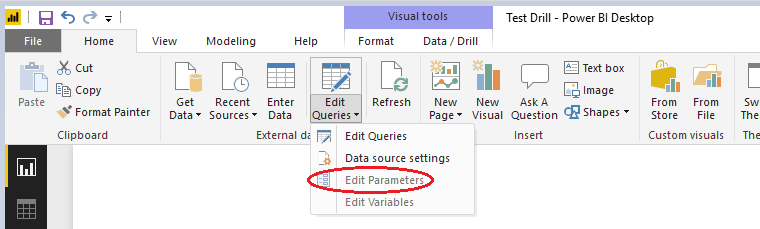
If these dimension tables have different structures, you should apply query parameter to dynamically load data tables. You can change the parameter value on report page.
Best regards,
Yuliana Gu
Hi @Miruthan,
If all dimension tables share the same table structure, you can "Append" them as a single table. Before combination, you could add a custom column in each Dim_table which identifies its own table name, "regional", "department" or "country". Then, when you create report, add this custom column into slicer, to filter data dispalyed in visual.
If these dimension tables have different structures, you should apply query parameter to dynamically load data tables. You can change the parameter value on report page.
Best regards,
Yuliana Gu
The Power BI Data Visualization World Championships is back! Get ahead of the game and start preparing now!
| User | Count |
|---|---|
| 63 | |
| 55 | |
| 42 | |
| 41 | |
| 23 |
| User | Count |
|---|---|
| 171 | |
| 136 | |
| 119 | |
| 79 | |
| 54 |