Join us at FabCon Atlanta from March 16 - 20, 2026, for the ultimate Fabric, Power BI, AI and SQL community-led event. Save $200 with code FABCOMM.
Register now!The Power BI Data Visualization World Championships is back! Get ahead of the game and start preparing now! Learn more
Hi ,
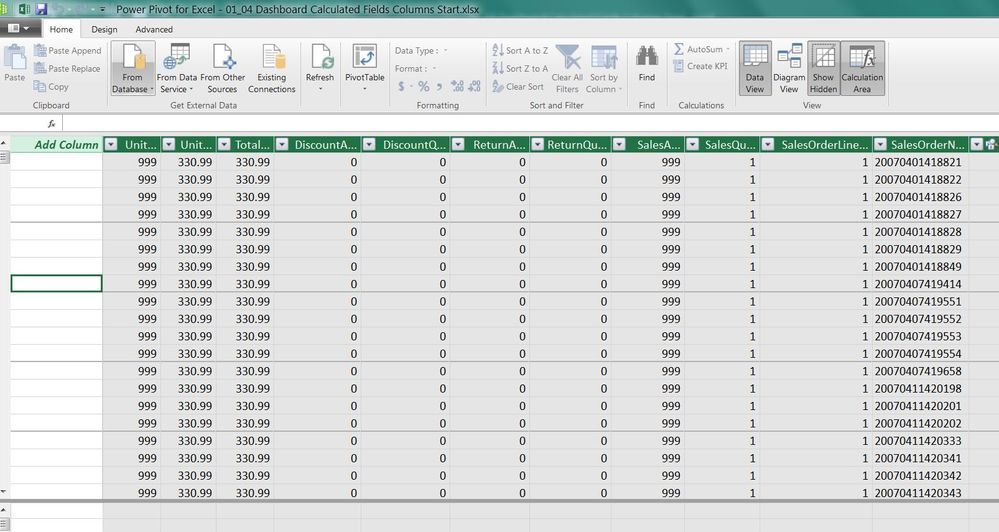
How can I change the Layout in power module so I will see "add column" on right side and not on left side?
Thanks, Igor
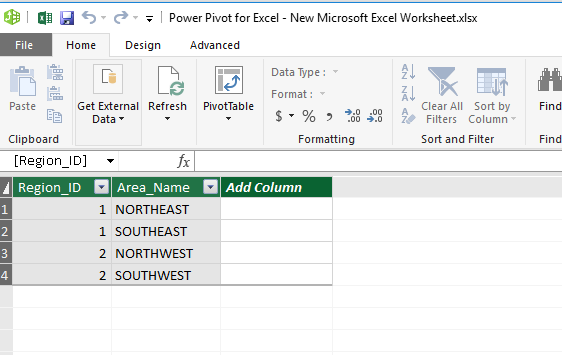
I haven't encountered this issue. The "Add Column" always appear on right side. And I don't find any setting to adjust its position. How did you make it appear on left?
Since this forum is for Power BI Desktop only, I suggest you post your question on PowerPivot Forums:
https://social.msdn.microsoft.com/Forums/sqlserver/en-US/home?forum=sqlkjpowerpivotforexcel
https://forum.powerpivotpro.com/forums/
Regards,
Frankly,
I don't know, maybe language settings? I am from Israel .
The Power BI Data Visualization World Championships is back! Get ahead of the game and start preparing now!
| User | Count |
|---|---|
| 41 | |
| 38 | |
| 36 | |
| 31 | |
| 28 |
| User | Count |
|---|---|
| 129 | |
| 88 | |
| 79 | |
| 68 | |
| 63 |