cancel
Showing results for 
Search instead for 
Did you mean: 

The Power BI Data Visualization World Championships is back! Get ahead of the game and start preparing now! Learn more

Reply
Anonymous
Not applicable

Cell Formatting in MS Excel

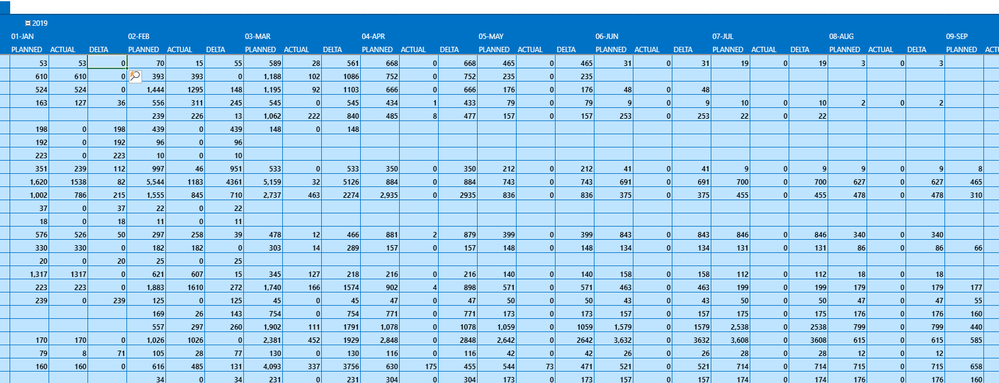
I have a dashboard in MS Excel spread sheet. It has 3 columns named as Planned, Actual and Delta. The Delta column cell values will be formatting based on below conditions.


Delta column cell value is negative and less than of 10% Planned column cell value -  The cell color should be in red.

Delta column cell value is positive and greater than of 10% Planned column cell value -  The cell color should be in green.

Otherwise, the cell color is white.


Excel.PNG

How to achive the above requirement ?

1 REPLY 1
v-cherch-msft
Microsoft Employee
Microsoft Employee

Hi @Anonymous 


It seems an issue with EXCEL.Please post your question here.


Regards,

Cherie

Community Support Team _ Cherie Chen
If this post helps, then please consider Accept it as the solution to help the other members find it more quickly.

Helpful resources

Announcements
Power BI DataViz World Championships

Power BI Dataviz World Championships

The Power BI Data Visualization World Championships is back! Get ahead of the game and start preparing now!

November Power BI Update Carousel

Power BI Monthly Update - November 2025

Check out the November 2025 Power BI update to learn about new features.

FabCon Atlanta 2026 carousel

FabCon Atlanta 2026

Join us at FabCon Atlanta, March 16-20, for the ultimate Fabric, Power BI, AI and SQL community-led event. Save $200 with code FABCOMM.