Get certified for free when you join Fabric Data Days 2026 and dive into Fabric, Power BI, SQL, AI, and other essential data skills.
Join nowTry your skills in the Power BI Dataviz World Championship! Round one ends June 26. Join now
Hello everybody, I'm completely new to Power BI and I'm trying to build up my first report.
My problem is the following one:
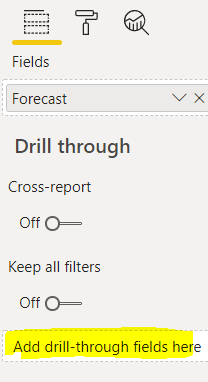
How can I make indipendent different "cards" when the result of the query is filtered using the box highlighted in yellow?
I have differents cards and seems that can't apply a filter in the yellow box without impacting all the other cards (e.g. i ve 3 different filter option in the yellow box and if i modify a card with a filter also the other cards receive the same change.
Andrea
Solved! Go to Solution.
Hi @Anonymous
If you want to the other card won't change when drill-through is that use the measure to display result.
for example, i want to calculate the sum of group a values, i use this measure
card1 =
CALCULATE( SUM( table[values] ), FILTER( ALL( table ), [group] = "a" ) )
with this measure , this result will always calculate the group a even if you drill through the group b.
if you have some difficulty to do this ,please provide some example date in the pbix file. i will help you.
Best Regards
Community Support Team _ chenwu zhu
If this post helps, then please consider Accept it as the solution to help the other members find it more quickly.
Hi @Anonymous
If you want to the other card won't change when drill-through is that use the measure to display result.
for example, i want to calculate the sum of group a values, i use this measure
card1 =
CALCULATE( SUM( table[values] ), FILTER( ALL( table ), [group] = "a" ) )
with this measure , this result will always calculate the group a even if you drill through the group b.
if you have some difficulty to do this ,please provide some example date in the pbix file. i will help you.
Best Regards
Community Support Team _ chenwu zhu
If this post helps, then please consider Accept it as the solution to help the other members find it more quickly.
@Anonymous , that for drill through. Issue is not very clear to me
If on the same page you control slicer and card using interactions
https://docs.microsoft.com/en-us/power-bi/service-reports-visual-interactions
| User | Count |
|---|---|
| 23 | |
| 19 | |
| 19 | |
| 17 | |
| 11 |
| User | Count |
|---|---|
| 55 | |
| 54 | |
| 40 | |
| 40 | |
| 30 |