Join us at FabCon Atlanta from March 16 - 20, 2026, for the ultimate Fabric, Power BI, AI and SQL community-led event. Save $200 with code FABCOMM.
Register now!Get Fabric Certified for FREE during Fabric Data Days. Don't miss your chance! Request now
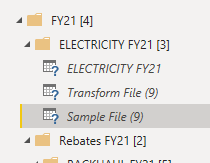
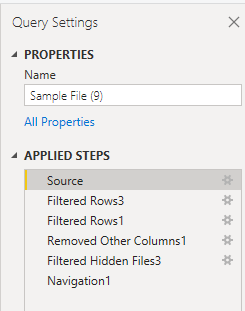
The data source used is SharePoint Online, queries worked fine the day before but opening it today it just constanly loads ie. opening the sample file on the source step:
When I take the queries and copy it to a new pbix file again it then loads perfectly, anyone experience this, or know what causes this behaviour?
Hi, @taariq_gcx
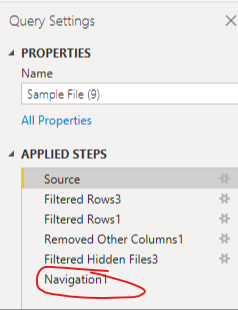
According to your description, I think the first thing you should keep in mind is that the “Applied steps” on the right of the Power query editor are just the steps that will be applied when you click the “Apply and close” to import the data into Power BI. And when you click on each step of this, the query will display the preview of the data status. Therefore, when you click on the “Source”, it will of course show the data with the source status. You can try to go to the last step and check if the data is correctly transformed.
More info about using the Applied Steps list in Power query
Thank you very much!
Best Regards,
Community Support Team _Robert Qin
If this post helps, then please consider Accept it as the solution to help the other members find it more quickly.
This I understand, that is not the problem. Please read my question again
Check out the November 2025 Power BI update to learn about new features.
Advance your Data & AI career with 50 days of live learning, contests, hands-on challenges, study groups & certifications and more!