Join us at FabCon Atlanta from March 16 - 20, 2026, for the ultimate Fabric, Power BI, AI and SQL community-led event. Save $200 with code FABCOMM.
Register now!The Power BI Data Visualization World Championships is back! Get ahead of the game and start preparing now! Learn more
Can someone give me suggestions on creating a shapefile for shape map of a country called Nigeria including states and districts?
and steps to import that file to power bi desktop
Solved! Go to Solution.
Hi @HarshaBatuka,
You can download the .shp file for country Nigeria via this site, then you can convert the .shp file to TopoJSON format via this tool. See: https://docs.microsoft.com/en-us/power-bi/desktop-shape-map#use-custom-maps
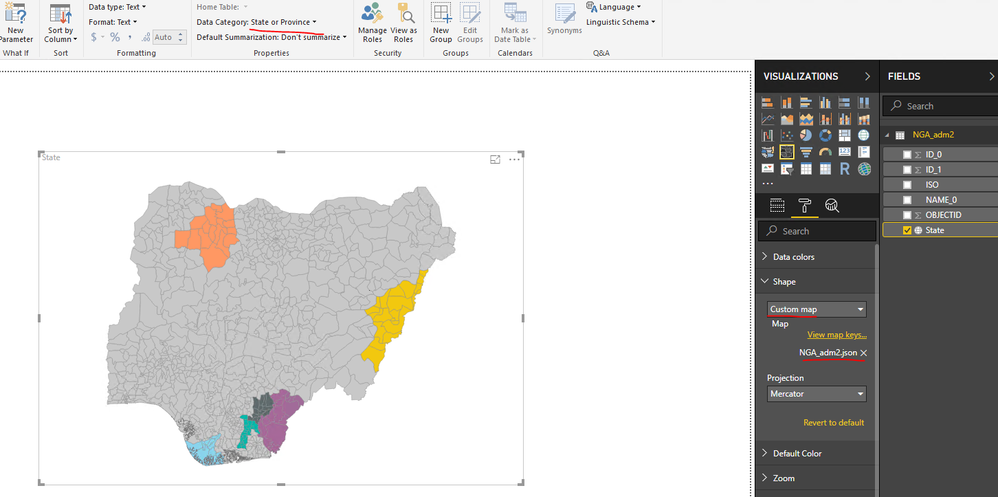
In Power BI desktop, create a table which contains Nigeria states data, set Data Category for the State column as State or Province. Add a shape map into the report, import TopoJSON format file which you get above to the shape map. You can see attached sample file.
Best Regards,
Qiuyun Yu
Hi @HarshaBatuka,
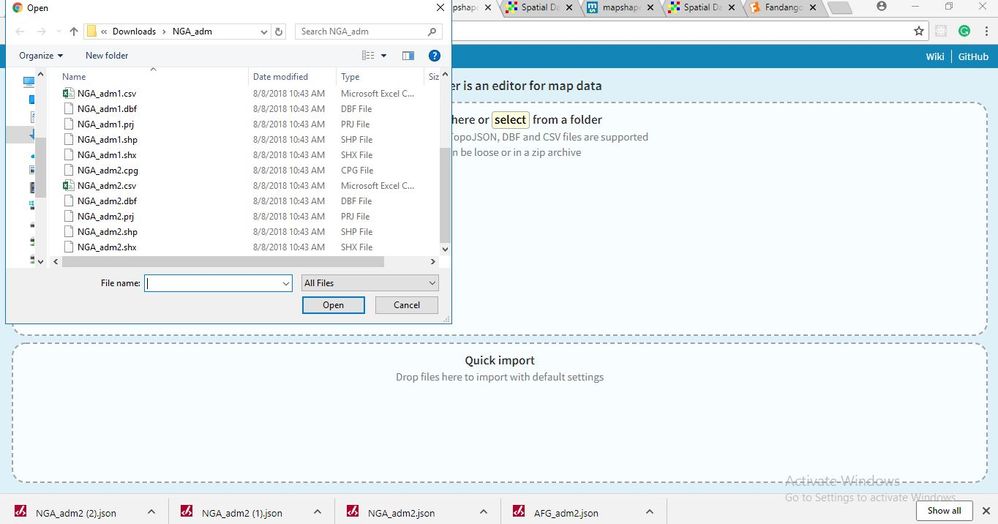
Please drag .dbf, .prj and .shp files to mapshaper tool then export to TopoJSON file. See detail steps below:
Best Regards,
Qiuyun Yu
Hi @HarshaBatuka,
You can download the .shp file for country Nigeria via this site, then you can convert the .shp file to TopoJSON format via this tool. See: https://docs.microsoft.com/en-us/power-bi/desktop-shape-map#use-custom-maps
In Power BI desktop, create a table which contains Nigeria states data, set Data Category for the State column as State or Province. Add a shape map into the report, import TopoJSON format file which you get above to the shape map. You can see attached sample file.
Best Regards,
Qiuyun Yu
Hi,
I downloaded Nigeria zip file and tried changing the .shp file to topojson and imported them to power bi desktop.
but when I point the cursor on some state it just says state undefined on the custom map
and when I do it on the sample file you sent me it shows the state name.
Am I missing something?
Can you give me step wise instructions like what all files do I need to change in the converting tile and what all options to select on the tool before exporting to topo json?
Hi @HarshaBatuka,
Please drag .dbf, .prj and .shp files to mapshaper tool then export to TopoJSON file. See detail steps below:
Best Regards,
Qiuyun Yu
The Power BI Data Visualization World Championships is back! Get ahead of the game and start preparing now!
| User | Count |
|---|---|
| 38 | |
| 36 | |
| 33 | |
| 30 | |
| 28 |
| User | Count |
|---|---|
| 127 | |
| 88 | |
| 78 | |
| 66 | |
| 65 |