Join us at FabCon Atlanta from March 16 - 20, 2026, for the ultimate Fabric, Power BI, AI and SQL community-led event. Save $200 with code FABCOMM.
Register now!The Power BI Data Visualization World Championships is back! Get ahead of the game and start preparing now! Learn more
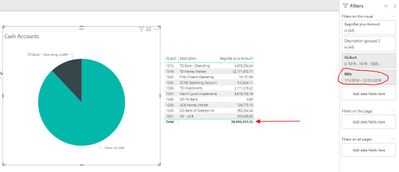
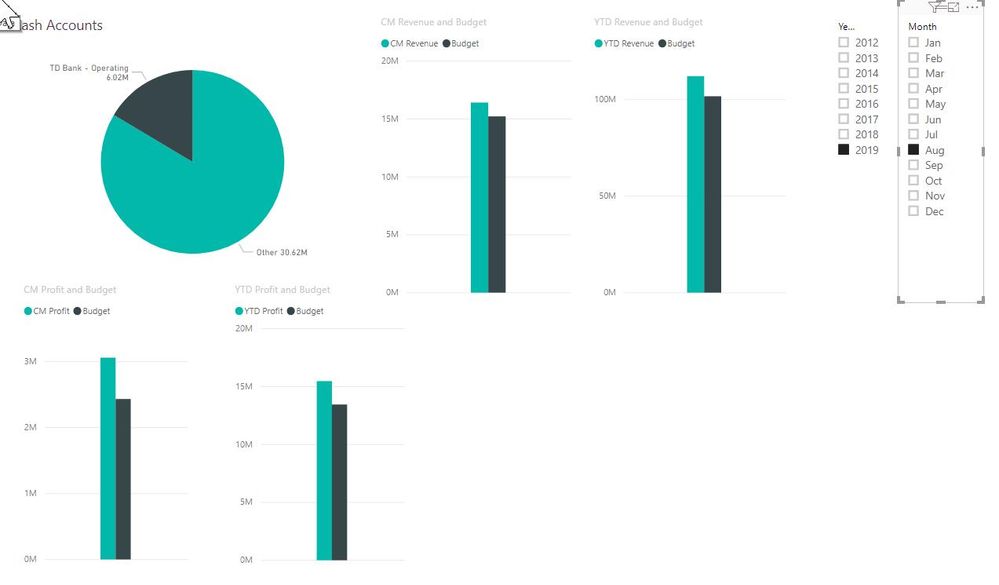
I created a simple pie chart that filters data using the Relative Date Filter. That works until I copy and paste that chart into a report with a couple other charts that use month and year slicers. The pie chart changes, based on the selected year and month, which is what I do want for the bar charts, not the pie chart. Is there a way to have the pie chart ignore the date slicers?
I appreciate any help!
Mike Grammas (still on Power BI training wheels)
Solved! Go to Solution.
@Anonymous
If you don't want any filters in "Filters on this page" or "Filters on all pages" sections under Filter Panel affect your Pie chart, move those filters to "Filters on this visual" for other visuals.
If you don't want the filters on canvas to filter your pie chart, go to Format->Edit Interactions, select the filter or visual, then choose None on the Pie chart.
If this answer helps, Mark this as solution.
I don't mind Kudos.
@Anonymous
If you don't want any filters in "Filters on this page" or "Filters on all pages" sections under Filter Panel affect your Pie chart, move those filters to "Filters on this visual" for other visuals.
If you don't want the filters on canvas to filter your pie chart, go to Format->Edit Interactions, select the filter or visual, then choose None on the Pie chart.
If this answer helps, Mark this as solution.
I don't mind Kudos.
The Power BI Data Visualization World Championships is back! Get ahead of the game and start preparing now!
| User | Count |
|---|---|
| 38 | |
| 38 | |
| 37 | |
| 28 | |
| 28 |
| User | Count |
|---|---|
| 124 | |
| 89 | |
| 73 | |
| 66 | |
| 65 |