cancel
Showing results for 
Search instead for 
Did you mean: 

Next up in the FabCon + SQLCon recap series: The roadmap for Microsoft SQL and Maximizing Developer experiences in Fabric. All sessions are available on-demand after the live show. Register now

Reply
ksab23
Helper I
Helper I

Calendar connected to several date columns in dataset

Hi all, 

I cannot figure out how to make calendar slicer work in this scenario. I want to connect complete calendar to dataset with several calendar columns.

This is my dummy dataset, where '1' stands for program completion, date is completion date. Except for 'user', all are calculated columns taken from core dataset. 

userprogram 1 program 1 date program 2 program 2 date program 3 program 3 date 
a11/1/202411/1/202411/1/2024
b11/2/202411/2/2024  
c11/3/202411/3/202411/3/2024
d  11/4/202411/3/2024
e  11/5/2024  
f    11/5/2024


Now, I wanted to connect a calendar dataset that is complete calendar (not just days users completed programs). But I cannot seem to make it work even if I connect the calendar to all 'date' columns. It seems to do something but I always get the total count wrong.

Do you guys have any idea on how to make this work? Thanks a lot!

1 ACCEPTED SOLUTION

Hi, I found a solution in the meantime! Tutorial on youtube but it basically uses 'userelationship' function and it works like a charm.

View solution in original post

3 REPLIES 3
Anonymous
Not applicable

Hi @ksab23 

If I understand correctly, you are trying to filter the table by the calendar table.


Perhaps the following will help.


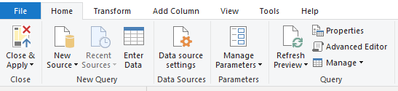
The following operations are performed in Power Query.


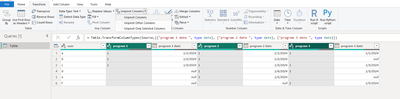
1. Unpivot Columns by selecting the three columns shown in the figure

vxuxinyimsft_0-1712294873770.png


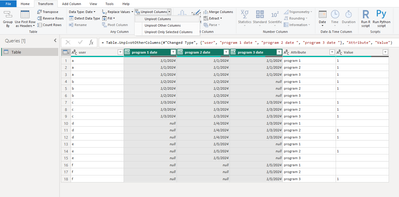
2. Do this again, selecting the three columns shown for Unpivot Columns

vxuxinyimsft_1-1712295194131.png


vxuxinyimsft_2-1712295236260.png


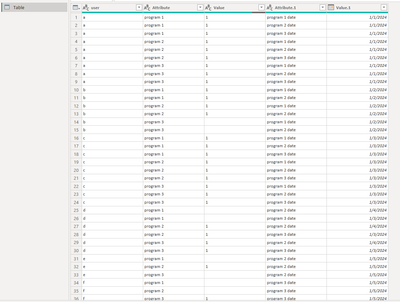
3. To do some organizing, I deleted the "Attribute.1" column and renamed some columns.

vxuxinyimsft_3-1712295359290.png


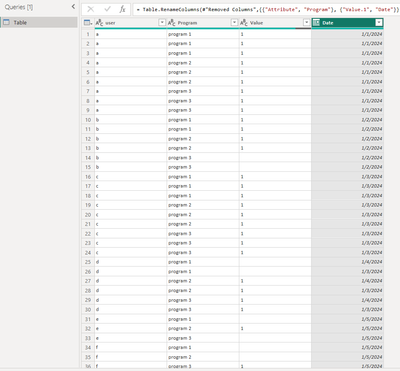
Close & Apply

vxuxinyimsft_4-1712295392987.png


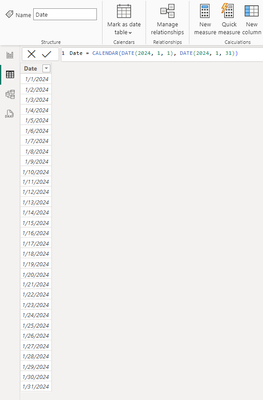
My calendar table

vxuxinyimsft_5-1712295449051.png


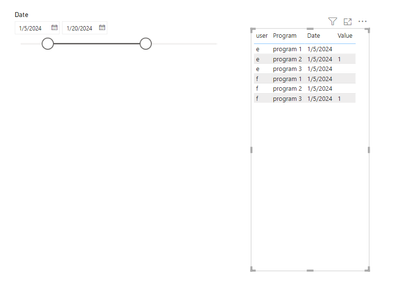
Result:

vxuxinyimsft_6-1712295482563.png


Best Regards,
Yulia Xu


If this post helps, then please consider Accept it as the solution to help the other members find it more quickly.

Thanks! 

This would be a great solution, however, my columns are calculated ones, and unless I am missing something I cannot edit them in power query no?

I have to get data to my user list dataset because the program completion dataset contains only users who completed specific program, not those who didn't. So basically 'user' (user list) is the core data and I am pulling information from several other 'completion lists' to get calculated columns.


Hi, I found a solution in the meantime! Tutorial on youtube but it basically uses 'userelationship' function and it works like a charm.

Helpful resources

Announcements
New to Fabric survey Carousel

New to Fabric Survey

If you have recently started exploring Fabric, we'd love to hear how it's going. Your feedback can help with product improvements.

Power BI DataViz World Championships carousel

Power BI DataViz World Championships - June 2026

A new Power BI DataViz World Championship is coming this June! Don't miss out on submitting your entry.

Join our Fabric User Panel

Join our Fabric User Panel

Share feedback directly with Fabric product managers, participate in targeted research studies and influence the Fabric roadmap.

March Power BI Update Carousel

Power BI Community Update - March 2026

Check out the March 2026 Power BI update to learn about new features.