Hi
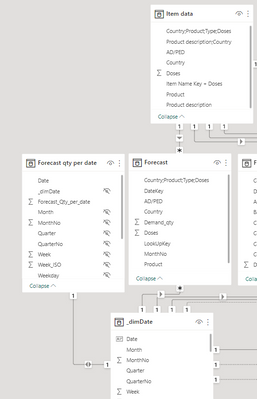
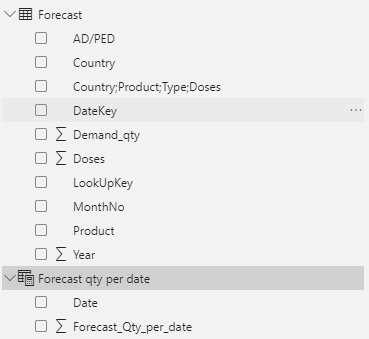
I have 2 tables
1. Forecast table
2. Calendar table
The forecast is recorded on a month level and the lowest granularity is the combination of Country;Product;Type;Doses per month. And i want to change this granularity to date level.
So i basically want to sum the value for the month of demand qty and then divide it by number of days in the given month.
With help from ChatGPT i managed to create a working DAX that gives me the granularity per date, but not per date+ "Country;Product;Type;Doses".
Anyone know how i can do this?
i need this so i can combine the key with a item table.
Forecast qty per date =
VAR StartDate = MIN('_dimDate'[Date]) // Get the minimum date from the date table
VAR EndDate = MAX('_dimDate'[Date]) // Get the maximum date from the date table
RETURN
    // Iterate through each date in the date table
    ADDCOLUMNS(
        FILTER(
            '_dimDate',
            '_dimDate'[Date] >= StartDate && '_dimDate'[Date] <= EndDate
        ),
        "_dimDate", '_dimDate'[Date],

        // Calculate the forecast value for the current date by distributing it evenly across all days in the month
        "Forecast_Qty_per_date",
            CALCULATE(
                SUM('Forecast'[Demand_qty]),
                DATESBETWEEN(
                    '_dimDate'[Date],
                    DATE(YEAR('_dimDate'[Date]), MONTH('_dimDate'[Date]), 1),
                    DATE(YEAR('_dimDate'[Date]), MONTH('_dimDate'[Date]), DAY(EOMONTH('_dimDate'[Date], 0)))
                )
            ) / (DAY(EOMONTH('_dimDate'[Date], 0))) - DAY(DATE(YEAR('_dimDate'[Date]), MONTH('_dimDate'[Date]), 1)) + 1
    )
Data model view: