
Join us at FabCon Atlanta from March 16 - 20, 2026, for the ultimate Fabric, Power BI, AI and SQL community-led event. Save $200 with code FABCOMM.
Register now!The Power BI Data Visualization World Championships is back! Get ahead of the game and start preparing now! Learn more
I have data from locations in various countries that I'd like to map. I have fields for Address, City, Postcode and Country/Region. All of these have their Data Cateogories correctly assigned. Even so, I'm having UK towns, with UK postcodes, and their Country/Region listed as 'UNITED KINGDOM', appearing in the United States.
Any clue as to why this is happening? It was my understanding that, with all the columns correctly filled out, Power BI should be able to identify a row as a single address?
Solved! Go to Solution.
Hi @sgross,
So you want show City as Location on the ArcGIS map, right?
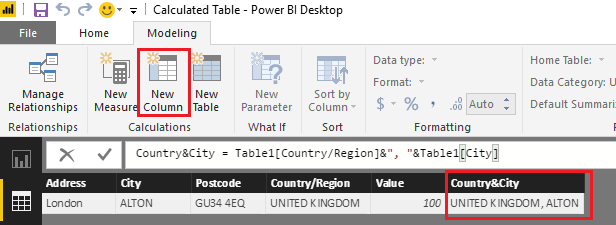
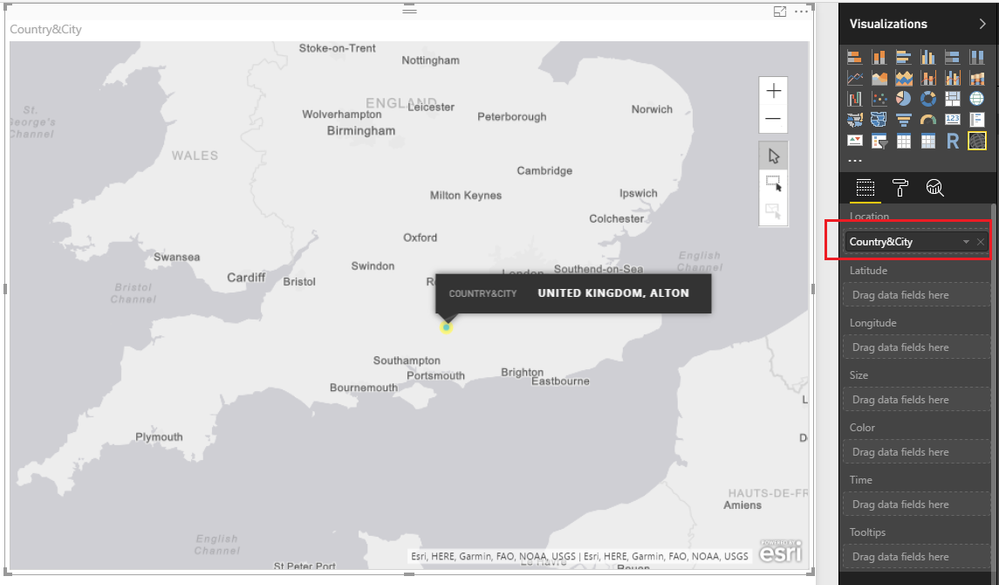
Based on my test, you should be able to use the formula below to create a new calculate column to combine the "Country/Region" and City column in to a single column. Then show the created column(Country&City) as Location on ArcGIS map to get the City shown correctly.
Country&City = Table1[Country/Region]&", "&Table1[City]
You will need to replace 'Table1' with your real table name.
Regards
Hi @sgross,
Could you post some sample data and screenshots, so that we can help further investigate on this issue? It's better to share a sample pbix file which can reproduce the issue. You can upload it to OneDrive or Dropbox and post the link here. Do mask sensitive data before uploading. ![]()
Regards
Sure thing. I'll get to work sanitising a copy of the data. For now I've grabbed some screenshots:
Here is how the data appears in the table:
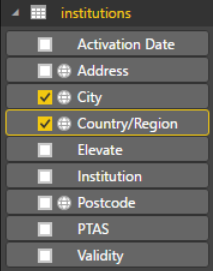
Here are how the fields appear (note the globes; each has their Data Category set correctly)
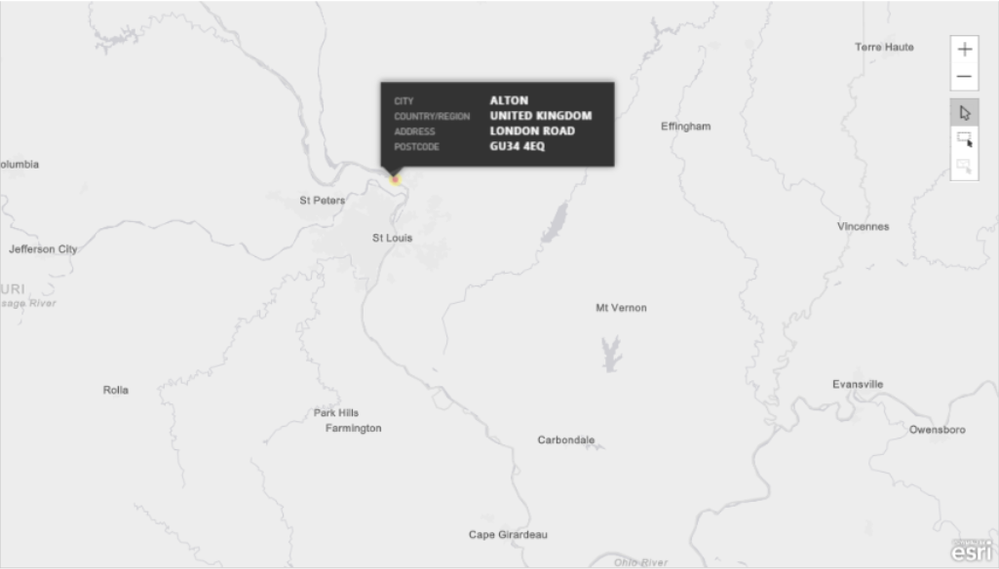
And here's Alton, United Kingdom, postcode and all, slap bang in the middle of the USA :S
Hi @sgross,
So you want show City as Location on the ArcGIS map, right?
Based on my test, you should be able to use the formula below to create a new calculate column to combine the "Country/Region" and City column in to a single column. Then show the created column(Country&City) as Location on ArcGIS map to get the City shown correctly.
Country&City = Table1[Country/Region]&", "&Table1[City]
You will need to replace 'Table1' with your real table name.
Regards
Excellent! That format seems to have done it.
Thanks very much.
The Power BI Data Visualization World Championships is back! Get ahead of the game and start preparing now!
Check out the November 2025 Power BI update to learn about new features.
| User | Count |
|---|---|
| 59 | |
| 43 | |
| 42 | |
| 23 | |
| 17 |
| User | Count |
|---|---|
| 190 | |
| 122 | |
| 96 | |
| 66 | |
| 47 |