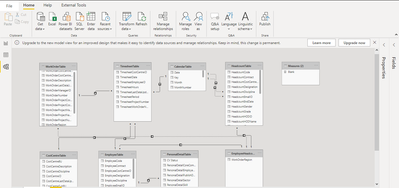
This is not a data modeling issue in terms of relationships and schema. What you have done is correct logically. The only place you could have gone wrong is the following scenario and that sometimes happens mainly because of a lack of understanding about what happens when you create a CALCULATED TABLE.
For example, In case you have created a master table for Region based on any of the three fields using expressions like ALL(WorkorderTable[Region]) or ALL(HeadcountTable[Region]) or ALL(EmployeeTable[Region]), the master table returned by the ALL() (or any other table function) will inherit all the relationship of the table mentioned inside ALL() or whichever table function you have used.
Therefore when you try to use it as a master table and try to create a relationship back from the calculated master table to the table that you have used inside ALL() to create the master table, it will create a circular dependency error.
To avoid this, your master table for "REGION" should not depend on these three tables. Preferably, you should create the master table in the source itself and import it into the model or upload it as an independent table that does not have any dependency on these fact tables.
If creating the "Region" table in the source is not viable, then a quick method is just to copy the master table contents and create another table using "Enter Data" option and paste the contents there. Then use this table as the master table and delete the one you have created using the table function. That will fix the dependency issue. But, if any new region that appears in the fact table will not be there inside this table and every time you will have to edit this table created using "Enter Data" to update the new region entries. Therefore it is not recomended. But for troubleshooting, you could try this and see if it fixes the problem.