Join us at FabCon Atlanta from March 16 - 20, 2026, for the ultimate Fabric, Power BI, AI and SQL community-led event. Save $200 with code FABCOMM.
Register now!The Power BI Data Visualization World Championships is back! Get ahead of the game and start preparing now! Learn more
Hello guys,
i have some column from database in Direct Query
Here the result that i want :
| Id | Point | |
| 1 | 400 | xxxxx@gmail.com |
| 2 | xxxxx@gmail.com | |
| 3 | 600 | xxxxx@gmail.com |
Here the explanation what i have :
For the Id 2 , i want to display empty or 0 for the value "Point" but in my base there is no data for this Id , he has no point then the row dosnt exist, cause of that the row with Id 2 dosnt appear in Power BI , is it possible to have a dax formula to fix that ?
(I precise the column point its a Sumx formula).
Thank you, if you need more informations dont hesitate please.
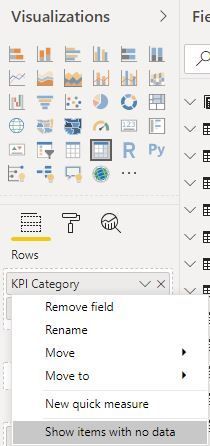
I am facing a similar issue. Tried multiple ways however no luck. Even the "show item with no data" option is making the visual to take lot of time to load. @ItSupportElm Have you found any other solution?
@ItSupportElm , if id is coming from a separate table then a measure with +0
or the option Show item with no data can help
measure =Sum(Table[Point])+0
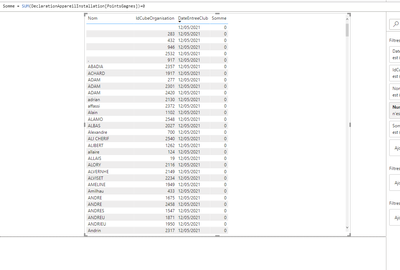
Hello @amitchandak thank you for the answer but it didnt work i got this with the measure :
And without i go this but it didnt appear all the data:
I dont want use "show item with no data" becausei have so many data , and the loading is so long...
The Power BI Data Visualization World Championships is back! Get ahead of the game and start preparing now!
Check out the November 2025 Power BI update to learn about new features.
| User | Count |
|---|---|
| 20 | |
| 11 | |
| 10 | |
| 4 | |
| 4 |
| User | Count |
|---|---|
| 33 | |
| 30 | |
| 19 | |
| 12 | |
| 11 |