Join us at FabCon Atlanta from March 16 - 20, 2026, for the ultimate Fabric, Power BI, AI and SQL community-led event. Save $200 with code FABCOMM.
Register now!The Power BI Data Visualization World Championships is back! Get ahead of the game and start preparing now! Learn more
Henlo,
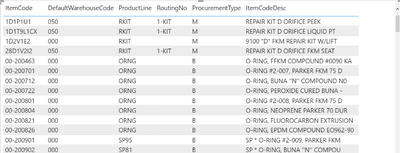
I am needing to add a measure that filters out data from my matrix. I am needing only rows returns that match this criteria (
{IM_ItemWarehouse.WarehouseCode} = {CI_Item.DefaultWarehouseCode} )
I know how I can do this in power query but I have other visuals that do not require the same filtering.
Can someone help me with how I would create a measure to accomplish this?
Oodles of thanks in advance! 🙂
Solved! Go to Solution.
Hi @Anonymous
please try
FilterMeasure =
IF (
SELECTEDVALUE ( CI_Item[DefaultWarehouseCode] )
IN VALUES ( IM_ItemWarehouse[WarehouseCode] ),
1
)
place it in the filter pane of the table visual and select "is not blank" then apply the filter.
Hi @Anonymous
please try
FilterMeasure =
IF (
SELECTEDVALUE ( CI_Item[DefaultWarehouseCode] )
IN VALUES ( IM_ItemWarehouse[WarehouseCode] ),
1
)
place it in the filter pane of the table visual and select "is not blank" then apply the filter.
The Power BI Data Visualization World Championships is back! Get ahead of the game and start preparing now!
Check out the November 2025 Power BI update to learn about new features.
| User | Count |
|---|---|
| 19 | |
| 10 | |
| 9 | |
| 4 | |
| 4 |
| User | Count |
|---|---|
| 34 | |
| 32 | |
| 20 | |
| 12 | |
| 11 |