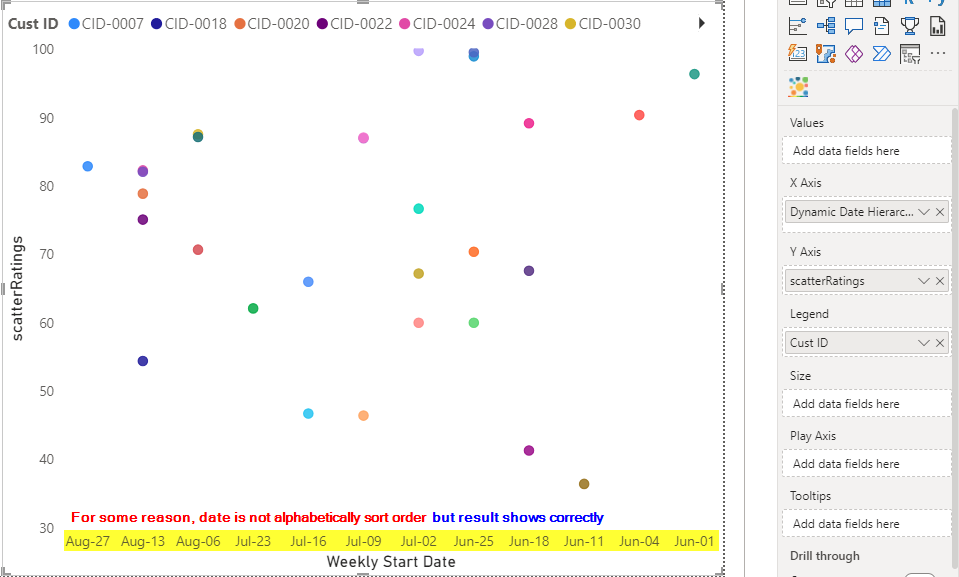
I'm trying to create a scatter chart where the x-axis is the date (dynamic date that shows weekly, bi-weekly or monthly) and y-axis that shows the ratings.
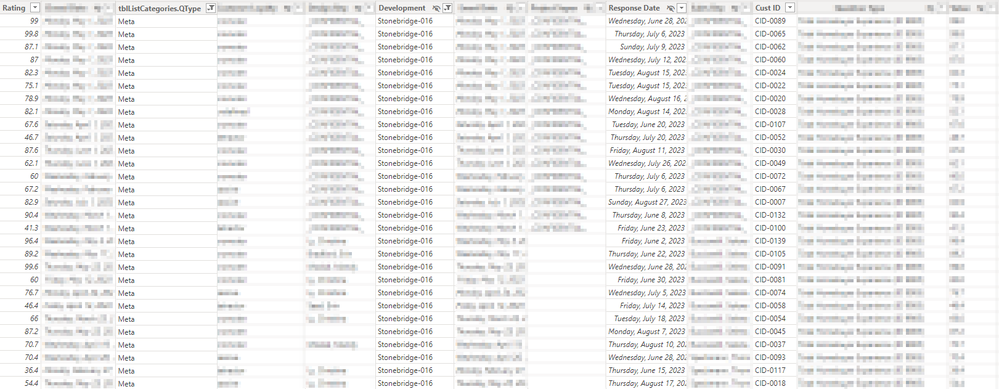
I've put a screenshot to show you a sample data.
I have 2 problem with this.
1st problem:
My 1st problem is regarding my x-axis in the scatter chart to be not sorting like date. My x-axis is a measure that I created so that if user were to select slicer selection of 'weekly', 'bi-weekly' or 'monthly', it'll show the period to be as user selection.
2nd problem:
The screenshot shows the result that I'd like, with an exception is that it has many colors due to custID.
What I'd like to achieve here is to sum the 'Rating' based on criteria 'tblListCategories.QType' and 'CustID'. Reason I'm using SUM here is because I've read Scatter chart needs to have summation, average etc.
I trid to make this calculation but return an error. The "mindset" that I had here is that I need to only SUM for each of the criteria with whatever slicer selection. And since I will only have 1 response per customer, I should get that value. If I don't have CustID as part of the criteria, then I'd have wrong result, as my summation will sum all of the customers in that development (think of it as region) which is not what I want.
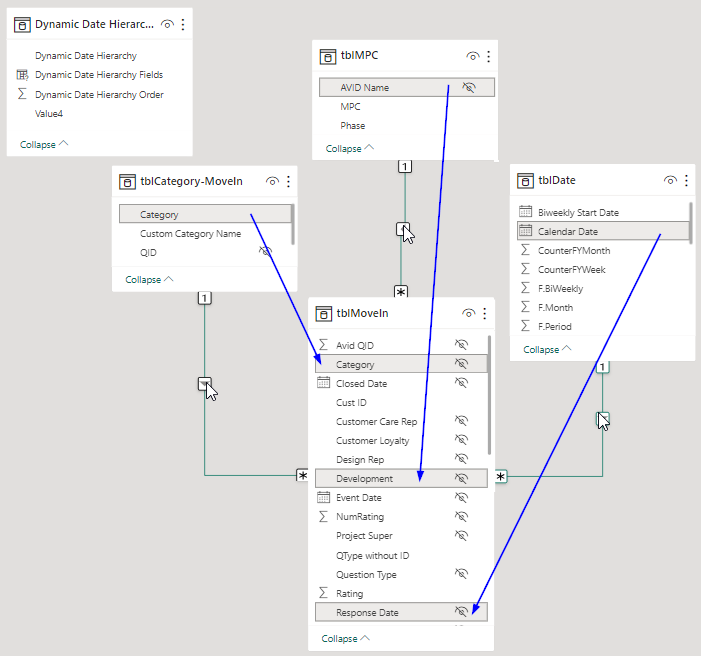
In short, I'd like to have the correct output like the screenshot below. But instead of showing custID in the 'Legend', I'd like to show 'MPC' (another table that I have relationship to the flat table) which is a grouping of 'Development'.
scatterRatings = ROUND(CALCULATE([scatterPlotRatings], tblMoveIn[tblListCategories.QType] = "Meta", tblMoveIn[CustID] = VALUES(tblMoveIn[CustID])),1)
2 questions that I have is:
- What's my 'scatterRatings' measure be to include tblMoveIn[tblListCategories.QType] && only that CustID in tblMoveIn[CustID]?
- How do I fix my x-axis in scatter chart to sort it like date?
Below are my measures:
Dynamic Date Hierarchy = {
    ("Year", NAMEOF('tblDate'[Year]), 0, "Weekly"),
    ("Weekly Start Date", NAMEOF('tblDate'[Weekly Start Date]), 1, "Weekly"),

    ("Year", NAMEOF('tblDate'[Year]), 0, "Bi-Weekly"),
    ("Bi-Weekly Start Date", NAMEOF('tblDate'[Biweekly Start Date]), 2, "Bi-Weekly"),

    ("Year", NAMEOF('tblDate'[Year]), 0, "Monthly"),
    ("Month Name", NAMEOF('tblDate'[Month Name]), 3, "Monthly")
}
scatterPlotRatings = SUM(tblMoveIn[NumRating])

//This is where I need to include CustID
scatterRatings = ROUND(CALCULATE([scatterPlotRatings], tblMoveIn[tblListCategories.QType] = "Meta"),1)