This time we’re going bigger than ever. Fabric, Power BI, SQL, AI and more. We're covering it all. You won't want to miss it.
Learn moreGet Fabric Certified for FREE during AI Skills Fest. This week only. Secure your voucher now.
Hey there,
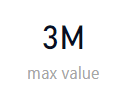
i somehow with the help of the internet managed to get the maximum value of the sum by a category, followed by that scrpit:
Solved! Go to Solution.
Hi @Anonymous
Maybe not the best solution but should work
create a rank measure
RankMeasure = RANKX(ALL(Products[Category_Name]),CALCULATE(SUM(Products[rev])),,DESC)
then your desired
TopCategoryMeasure = calculate(
FIRSTNONBLANK(Products[Category_Name],1),
FILTER(ALL(Products[Category_Name]),[RankMeasure]=1)
)
Can you add sample tables (in format that can be copied to PowerBI) from your model with anonymised data? Like this (just copy and paste into the post window).
| Column1 | Column2 |
| A | 1 |
| B | 2.5 |
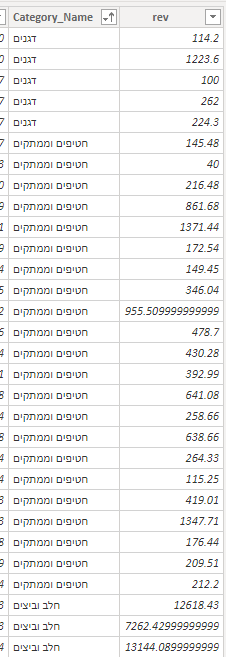
here is the example of the data i work with,
thanks
Hi @Anonymous
Maybe not the best solution but should work
create a rank measure
RankMeasure = RANKX(ALL(Products[Category_Name]),CALCULATE(SUM(Products[rev])),,DESC)
then your desired
TopCategoryMeasure = calculate(
FIRSTNONBLANK(Products[Category_Name],1),
FILTER(ALL(Products[Category_Name]),[RankMeasure]=1)
)
love u
thanks!
Check out the May 2026 Power BI update to learn about new features.
Sign up to receive a private message when registration opens and key events begin.
If you have recently started exploring Fabric, we'd love to hear how it's going. Your feedback can help with product improvements.