Share feedback directly with Fabric product managers, participate in targeted research studies and influence the Fabric roadmap.
Sign up nowGet Fabric certified for FREE! Don't miss your chance! Learn more
Hello experts,
I am new to custom viz and this is my first post in the custom viz section.
I am trying to understand if it is at all posible to create a custom viz in power bi from Power Point objects.
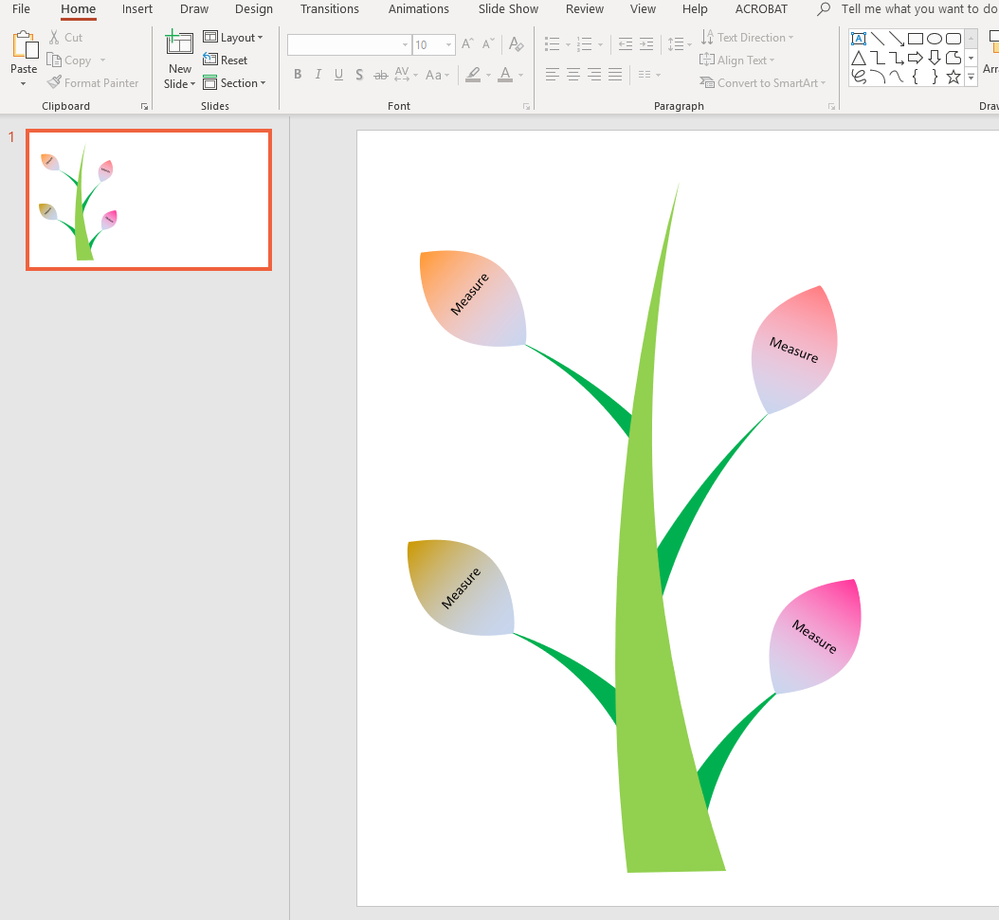
For example, it is easy to create an object in Power Point like below and I am trying to create a card visual based on this object that I created here in Power Point. Is there any easy way to replicate this tree in power bi developer's tool to create a viz. When I am drawing this in Power Point it is probably generating a code somewhere to come up with this tree. Can that code be retrieved and recycled in the developer's tool to create this tree as a custom viz ?
Thank you in advance.
Hello,
I am afraid that it's impossible to do directly.
However, you can try to do it with using of PowerApps visual that you can find among standard visuals in the latest Power Bi Desktop application.
Kind Regards,
Evgenii Elkin,
Software Engineer
Microsoft Power BI Custom Visuals
pbicvsupport@microsoft.com
Share feedback directly with Fabric product managers, participate in targeted research studies and influence the Fabric roadmap.
If you love stickers, then you will definitely want to check out our Community Sticker Challenge!
Check out the January 2026 Power BI update to learn about new features.