Share feedback directly with Fabric product managers, participate in targeted research studies and influence the Fabric roadmap.
Sign up nowGet Fabric certified for FREE! Don't miss your chance! Learn more
Hi all,
Trying to configure a scheduled refresh for a SQL server datasource.
I can refresh the datasource in desktop, but cannot refesh in the service.
Our DBA has said it is because of the case sensitivity of the database name. The database name has to be in uppercase (it is a SAP based database).
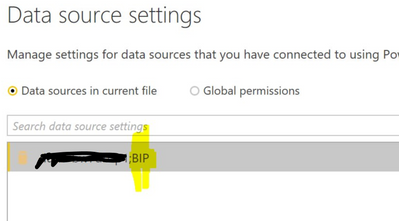
The database is showing as uppercase in the desktop file data source settings, and I have also configured the database name as uppercase in the gateway, which has sucessfully connected. However, I'm getting an error message 'cannot connect to the mashup datasource'.
I've noticed that if I don't have the datasource configured in the gateway, and I try to add from the gateway connection section in schedule refresh, the database name is lower case. See some screenshots below:
Hi Jimmy
Using the latest version of the gateway. Only recently installed this.
Regards
Mike
Hi mbrough,
Maybe these similar cases can help you:
https://community.powerbi.com/t5/Service/Cannot-connect-to-the-mashup-data-source/td-p/346879
Regards,
Jimmy Tao
Thanks Jimmy but already tried those
Regards
Mike
If you love stickers, then you will definitely want to check out our Community Sticker Challenge!
Check out the January 2026 Power BI update to learn about new features.
| User | Count |
|---|---|
| 18 | |
| 7 | |
| 7 | |
| 7 | |
| 7 |
| User | Count |
|---|---|
| 49 | |
| 45 | |
| 25 | |
| 25 | |
| 23 |