Forum Discussion

 Advocate I
Specified culture is not supported error
I had a datasource that worked just fine. After a while I noticed that my scheduled refreshes started failing.
The datasource and visualization building is made on desktop, and uploaded to app.powerbi.com .. but on the desktop the refresh works just fine.
However, it keeps failing on the webapp (which destroys my realtime dashboards) due to some "Specified culture" not being supported..
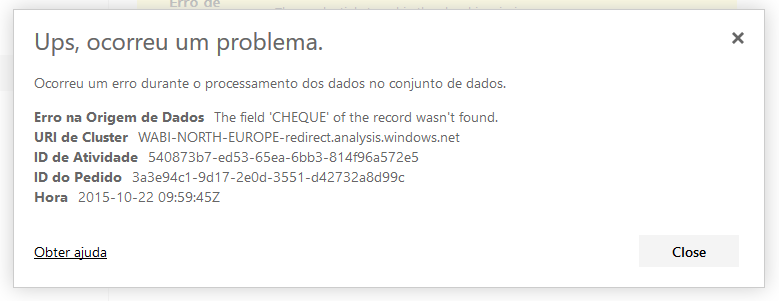
To simplify searching, I'll include the error in text.
I've also reported the issue to PowerBI dev team via Frown .
I spent quite some hours but narrowed down to a solution that I now share with you:
#"Sorted Rows" = Table.Sort(#"Capitalized Each Word",{{"Column1.DATA_EMISSAO", Order.Ascending}})
This was my problem.
I had parsed the Date I was using and afterwards was sorting the table using it... for some reason, PowerBI did it right and threw no exception, but on the webapp it stopped the refresh.
After removing this from every table of the dataset, it worked flawlessly once again.
I have contacted PBI team and can hand them a sample with the problem, so they can see it for themselves that it works after removing this specific step.
Thank you for your help anyways.
3 Replies
 pedramr
Microsoft Employee
I am opening a bug on this at our end. In the meantime, I suggest that you contact our official support team.
 rborges
I've also reported the issue to PowerBI dev team via Frown .
I spent quite some hours but narrowed down to a solution that I now share with you:
#"Sorted Rows" = Table.Sort(#"Capitalized Each Word",{{"Column1.DATA_EMISSAO", Order.Ascending}})
This was my problem.
I had parsed the Date I was using and afterwards was sorting the table using it... for some reason, PowerBI did it right and threw no exception, but on the webapp it stopped the refresh.
After removing this from every table of the dataset, it worked flawlessly once again.
I have contacted PBI team and can hand them a sample with the problem, so they can see it for themselves that it works after removing this specific step.
Thank you for your help anyways.
 AnonymousNot applicable
I followed steps wise process and after removing the code to convert epoch time to date and time it worked with refresh.
I have removed this line of code
= Table.AddColumn(#"Filtered Rows1", "DateandTime", each #datetime(1970,1,1,0,0,0)+#duration(0,0,0,[timestamp]/1000))