cancel
Showing results for 
Search instead for 
Did you mean: 

View all the Fabric Data Days sessions on demand. View schedule

Reply
Saifi
Frequent Visitor

Some report tiles are not refreshing properly

Hi,

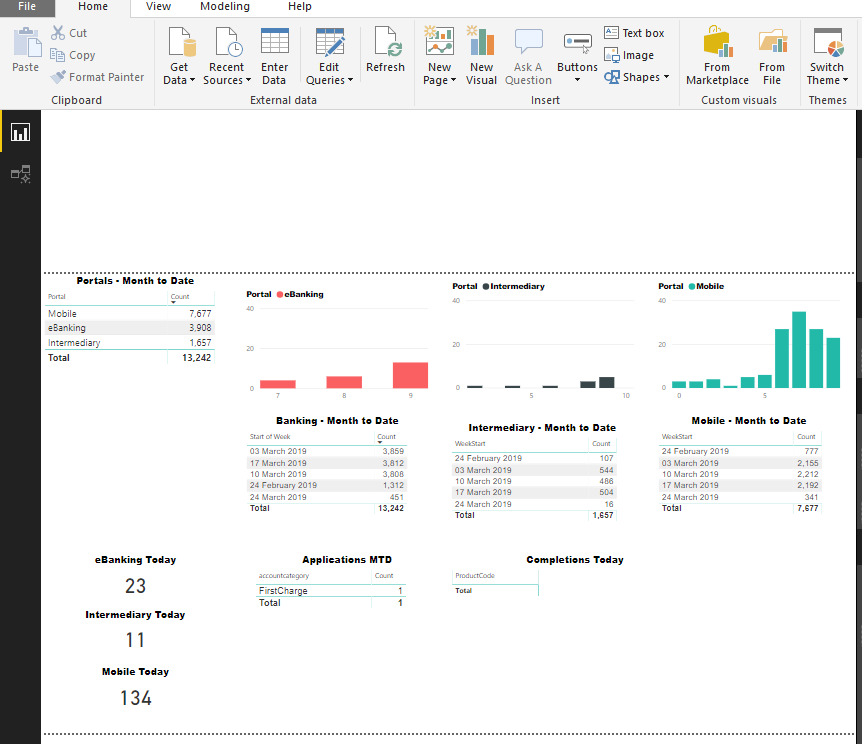
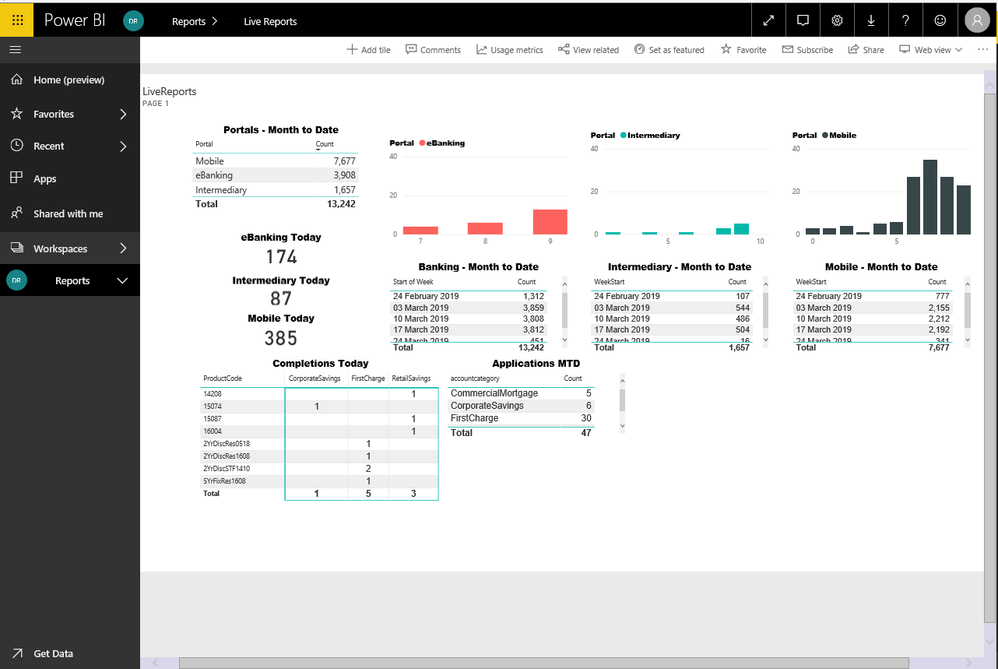
I am noticing that some of my report tiles are not refreshing properly.

I have about 10 tiles (Tables, Matrixes and column charts), each of which gets the data from a separate Power BI DirectQuery. On the desktop, all tiles are refreshing properly, and data appears as expected, but when I publish the report to my workspace and share it among my team, some specific tiles stop updating properly, even when I do manual refresh. The only wy to get them to refersh is to republish the report.

Where do we look?


-WaleedPBI-DesktopPBI-DesktopPBI-ServicePBI-Service

2 REPLIES 2
Anonymous
Not applicable

Hi Saifi,


Ask them to clear the cache before login to Power BI Service or Use Incognito mode when you open your browser.


Opening incognito mode is most recommended for Power BI to use.


Regards,

Pradeep

I thought about this and logged in from a different PC which has been never used to view PBI reports, it did not resove the issue.

I also checked the data source refresh settings and made sure it is set to 15 min.


-Waleed

Helpful resources

Announcements
November Power BI Update Carousel

Power BI Monthly Update - November 2025

Check out the November 2025 Power BI update to learn about new features.

Fabric Data Days Carousel

Fabric Data Days

Advance your Data & AI career with 50 days of live learning, contests, hands-on challenges, study groups & certifications and more!

FabCon Atlanta 2026 carousel

FabCon Atlanta 2026

Join us at FabCon Atlanta, March 16-20, for the ultimate Fabric, Power BI, AI and SQL community-led event. Save $200 with code FABCOMM.

Top Solution Authors