Don't miss your chance to take exam DP-600 or DP-700 on us!
Request nowLearn from the best! Meet the four finalists headed to the FINALS of the Power BI Dataviz World Championships! Register now
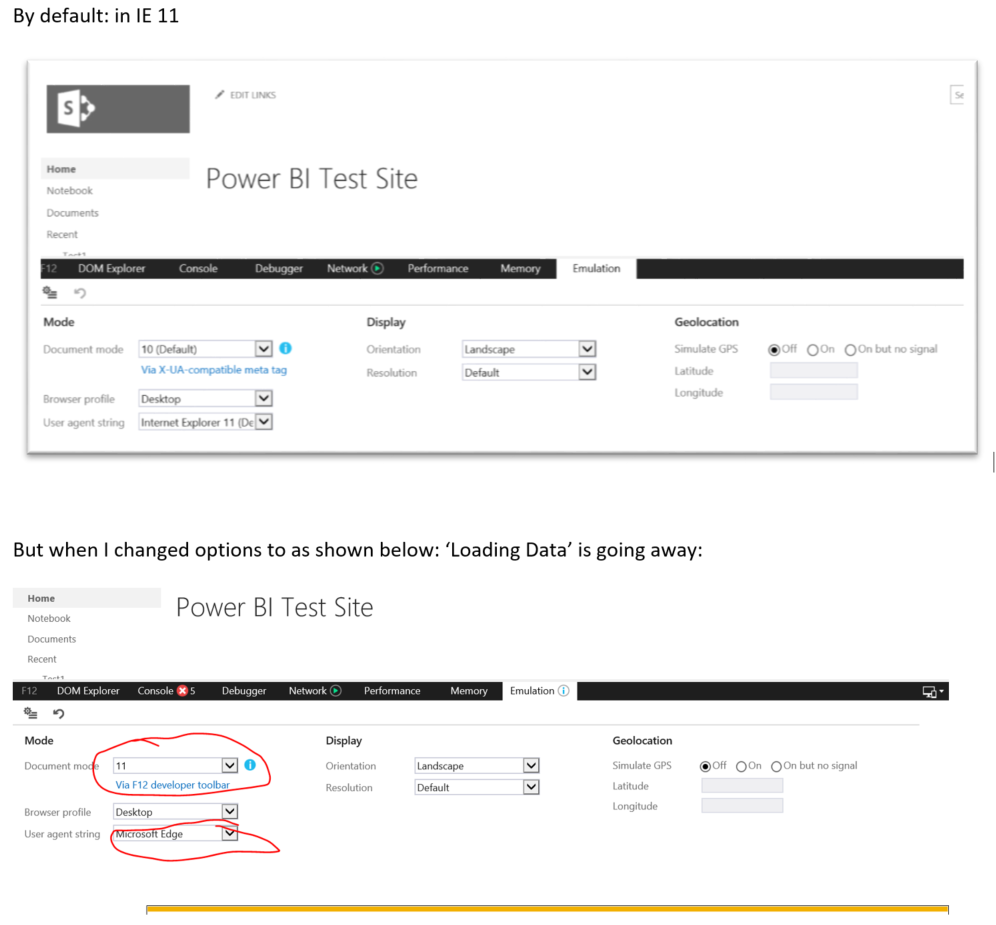
Hi, am trying to embed Power BI Report in SharePoint and am able to succesfully embed but the issue is on top of Report i see icon windows spinning icon with "Loading data" even though report is fully loaded and operational/clickable.
we are using using IE 11.
please hep me.
Thanks!
Solved! Go to Solution.
Update: Issue resolved after installing secuirty certificate to PBIRS (https://).
Still IE doesnt support.
Chrome and Edge browsers are working fine now.
@Anonymous
Try upgrade to the latest IE version, I personally would suggest you to use Edge/Google Chrome, they are the most compatible browsers for me.
Or for this kind of bug issues, I would suggest you to post in Issues Forum for a quick response..
Paul Zheng
If this post helps, then please consider Accept it as the solution to help the other members find it more quickly
Thank you!
Our PBIRS is not on Secured Server (https://) is it the the reason?
in IE 11, am able to see the report at least by clicking 'Show content' message.
But in Chrome, am not even getting that 'Show content' message and report also not dislaying. In my case IE is better.
My org not yet upgraded to Edge, so i cant request.
Embed 'Loading Data'
Update: Issue resolved after installing secuirty certificate to PBIRS (https://).
Still IE doesnt support.
Chrome and Edge browsers are working fine now.
Share feedback directly with Fabric product managers, participate in targeted research studies and influence the Fabric roadmap.
Check out the February 2026 Power BI update to learn about new features.