Join us at FabCon Atlanta from March 16 - 20, 2026, for the ultimate Fabric, Power BI, AI and SQL community-led event. Save $200 with code FABCOMM.
Register now!The Power BI Data Visualization World Championships is back! Get ahead of the game and start preparing now! Learn more
Hi!
I have a Power BI Pro license but the rest of the users in my organization don't (at the moment they are on the free trial that is included). I created a dataset and a report in Power BI desktop and published it to "My Workspace" (I can see this workspace in the Power BI version that we can access through MS Teams). I went to "Manage Permissions" and granted some users access to Read and build using the dataset. They can access the report perfectly but they cannot see the Dataset. I would be great if they could be able to view the dataset as a published one and be able to create their own reports. I went to another users PC to see what the issue was and when they click on the link that is sent to them when I shared the dataset, it says that the dataset was not found and that perhaps it was deleted or moved.
Is there a way around this?
Best Regards
Solved! Go to Solution.
Hi @adiazchanis ,
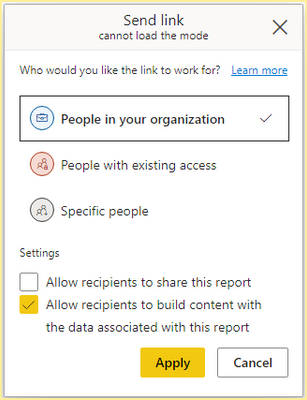
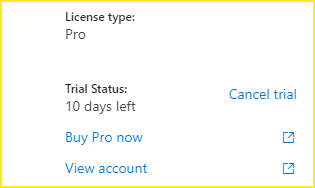
Based on testing, use a Pro license test account to share a report in my workspace to a user in organization and give him build permission and recipients license is pro trial, recipients can find this dataset in dataset options, and create a report with the dataset and save it in My workspace or other workspaces, but the dataset doesn't appear in the workspace.
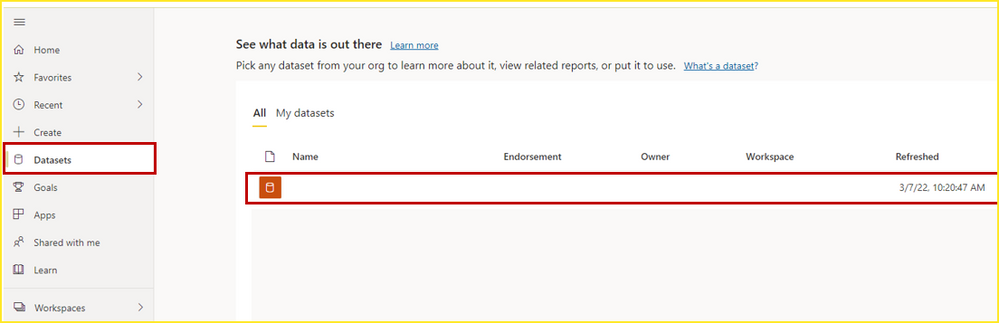
Please check in Service -> Datasets.
Best Regards,
Community Support Team_Gao
If there is any post helps, then please consider Accept it as the solution to help the other members find it more quickly. If I misunderstand your needs or you still have problems on it, please feel free to let us know. Thanks a lot!
How to get your questions answered quickly -- How to provide sample data
Hi @adiazchanis ,
Based on testing, use a Pro license test account to share a report in my workspace to a user in organization and give him build permission and recipients license is pro trial, recipients can find this dataset in dataset options, and create a report with the dataset and save it in My workspace or other workspaces, but the dataset doesn't appear in the workspace.
Please check in Service -> Datasets.
Best Regards,
Community Support Team_Gao
If there is any post helps, then please consider Accept it as the solution to help the other members find it more quickly. If I misunderstand your needs or you still have problems on it, please feel free to let us know. Thanks a lot!
How to get your questions answered quickly -- How to provide sample data
The Power BI Data Visualization World Championships is back! Get ahead of the game and start preparing now!
Check out the November 2025 Power BI update to learn about new features.