Join us at FabCon Atlanta from March 16 - 20, 2026, for the ultimate Fabric, Power BI, AI and SQL community-led event. Save $200 with code FABCOMM.
Register now!Learn from the best! Meet the four finalists headed to the FINALS of the Power BI Dataviz World Championships! Register now
Hi,
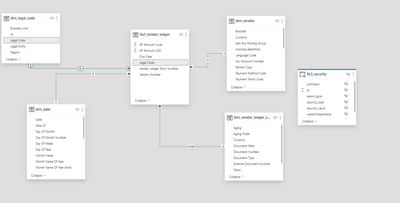
I have shared dataset that has RLS implemented.
RLS is stored in asql and there is direct query for RLS in the model. Rest of the tables are import mode.
If I add new record in RLS, change is reflected in the report based on shared dataset immediatelly after the refresh of the page.
But if I update existing RLS record or delete RLS record, change is visible after few/dozen of minutes. I tried F5, CTRL+F5 but change was not refrected.
Why is this happening and how can I fix it without refresh of shared dataset?
Hi @aaldo_666 ,
I wasn't able to successfully reproduce your question.
I think it's possible that browser caching is causing the problem, because when you add new content it doesn't involve cached content, but when you modify or delete existing data, the cached content is affected. Could you please try clearing your browser's cache to see if the issue is resolved?
Best Regards,
Dino Tao
If this post helps, then please consider Accept it as the solution to help the other members find it more quickly.
Share feedback directly with Fabric product managers, participate in targeted research studies and influence the Fabric roadmap.
Check out the February 2026 Power BI update to learn about new features.
| User | Count |
|---|---|
| 44 | |
| 43 | |
| 40 | |
| 25 | |
| 25 |