Don't miss your chance to take the Fabric Data Engineer (DP-600) exam for FREE! Find out how by watching the DP-600 session on-demand now through April 28th.
Learn moreJoin the FabCon + SQLCon recap series. Up next: Power BI, Real-Time Intelligence, IQ and AI, and Data Factory take center stage. All sessions are available on-demand after the live show. Register now
Hello,
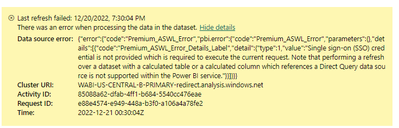
I am experiencing issues with my dataset refreshing. I am not experiencing any issues in my desktop version, however once I publish the report to app.PowerBI.com I am no longer able to manually or automatically refresh. I receive this message, "You can't schedule refresh for this dataset because the following data sources currently don't support refresh:" I'm sourcing a local Excel file with a pivot table that is pulling data from a second excel file. There are no crednetials needed for either files they are both public. There are no functions or equations in the pivot table, the first excel sheet does the equations so the second one (the one I'm pulling from) only has the raw data.
Can this be fixed?
Thank you,
Collin
Solved! Go to Solution.
If you want to refresh local files from the Power BI service, you need to install the Power BI data gateway on your PC. It's usually easier (i.e. no gateway needed) to sync the files to OneDrive or SharePoint and refresh the files from there.
I'm having a similar issue. can't seem to figure it out. does anyone have any thoughts?
If you want to refresh local files from the Power BI service, you need to install the Power BI data gateway on your PC. It's usually easier (i.e. no gateway needed) to sync the files to OneDrive or SharePoint and refresh the files from there.
Oh ok, that would explain why I've never had this issue with my sharepoint data sources. Thank you for the help! Is it relatively simple to install the data gateway? I clearly haven't yet.
Yes, unless you're moving a lot of data through the data gateway (which may introduce the need for clustering), at a small scale it's a fast and easy install. You'll have to update it in the future to keep up with Power BI Desktop updates, but that's again pretty straightforward.
Check out the April 2026 Power BI update to learn about new features.
If you have recently started exploring Fabric, we'd love to hear how it's going. Your feedback can help with product improvements.
A new Power BI DataViz World Championship is coming this June! Don't miss out on submitting your entry.
| User | Count |
|---|---|
| 8 | |
| 8 | |
| 8 | |
| 8 | |
| 7 |