
cancel
Showing results for 
Search instead for 
Did you mean: 

The Power BI Data Visualization World Championships is back! Get ahead of the game and start preparing now! Learn more

Reply
Anonymous
Not applicable

Problem with Gateway live connection to SSAS

Hello,

I made a model of SSAS Tabular on top of AdventureWorks for practising.

Then I created a powerbi report with a live connection to SSAS Tabular, It is working properly on desktop.

But when I publish the report and setup the gatway I keep receiving this error.

johndha_0-1653110394103.png

johndha_1-1653110669609.png


Knowing that:

1. SSAS Server is hosted on my local laptop.

2. I am accessing SSAS server through Windows credentials.

3. I uploaded the report using my work email to myworkspace

4. I searched and found that the problem maybe in UPN and EffectiveName, But I can't apply that because this is my local laptop and there is no AD or Domain for the company.

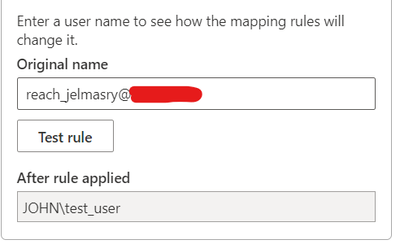
5. I even tried to change the effective name from my email to match the username who have access to SSAS but it didn't work

johndha_2-1653110811260.png


2 REPLIES 2
Anonymous
Not applicable

Hi  @Anonymous ,

Firstly ensure that your SSAS server and gateway are installed in a same domain or trusted domains.

Secondly, in Power BI,  the effective username is passed to the gateway and then onto your on-premises Analysis Services server each time a user interacts a report connected to Analysis Services. The email address that you use to sign in Power BI with is passed to Analysis Services as the effective user. This email address should match a defined UPN within the local Active Directory Domain, if a match cannot be found, you will get errors.

You can use the following command from your workstation to find out the UPN for your account, if the UPN doesn't match the email address you sign into Power BI with, you can use “Map user names” feature to solve this issue. 

Refer to:

https://docs.microsoft.com/en-us/power-bi/connect-data/service-gateway-enterprise-manage-ssas

There are also related error messages, you can check the official documentation:

https://docs.microsoft.com/en-us/power-bi/connect-data/service-gateway-onprem-tshoot#error-data-source-access-error-please-contact-the-gateway-administrator 

Best Regards,

Liu Yang

If this post helps, then please consider Accept it as the solution to help the other members find it more quickly.

collinq
Super User
Super User

Hi @Anonymous ,


Since it is on your laptop, are you using a Personal Gateway?  Also, you show that you are connected to the gateway (DS), but is that gateway itself working?  Take a look at the gateway setup and make sure that it does not have an error.  I would think that the issue is in the "localhost" part.  The gateway will want a FQDN to reach back to your machine.  I understand that you are not on a domain, so it will need to be the file path.


Did I answer your question? Mark my post as a solution!

Proud to be a Datanaut!
Private message me for consulting or training needs.


Helpful resources

Announcements
Power BI DataViz World Championships

Power BI Dataviz World Championships

The Power BI Data Visualization World Championships is back! Get ahead of the game and start preparing now!

December 2025 Power BI Update Carousel

Power BI Monthly Update - December 2025

Check out the December 2025 Power BI Holiday Recap!

FabCon Atlanta 2026 carousel

FabCon Atlanta 2026

Join us at FabCon Atlanta, March 16-20, for the ultimate Fabric, Power BI, AI and SQL community-led event. Save $200 with code FABCOMM.