Forum Discussion

Power BI Service Filter vs Desktop (CSS bug?)
Hi everyone,
Since the last week, i have noticed that the hehavior (css Style) of my filters on power bi service has changed.
The problem is illustrated in the image below :
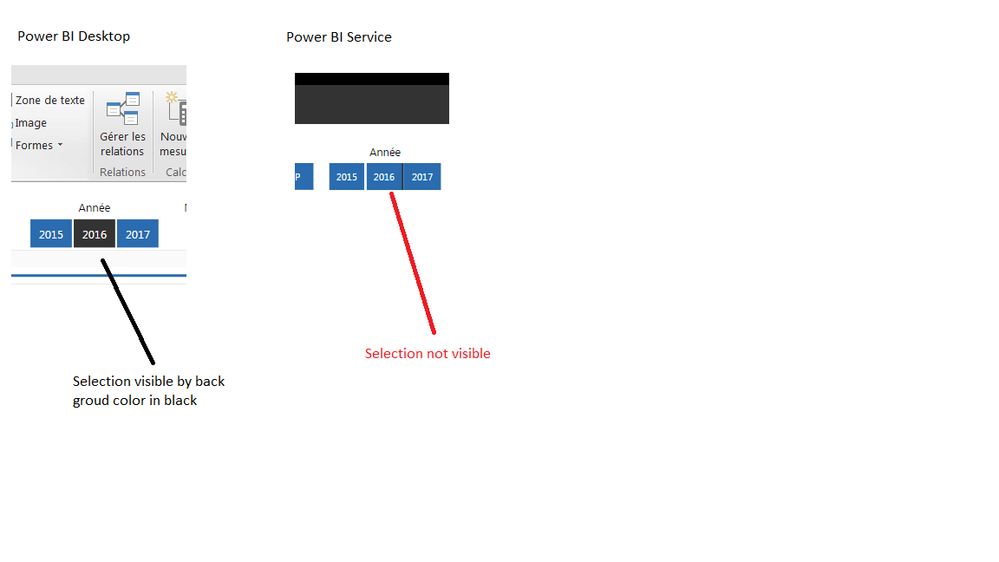
In PBDesktop, the selected item in my filter is in black. I had the same behavior on the Service but, since the last week the back-ground color of the selection has disappeared.
Is it a bug due to an update on the PBSevice?
Thank you in advance.
Khaled.
 Anonymous9 years ago
ksabi This is most likely due to a Service update. Looks like there are several posts related to slicers in the issues forum. Add this as well if it isn't there. Others can vote up the issue there.
1 Reply
- AnonymousNot applicable
ksabi This is most likely due to a Service update. Looks like there are several posts related to slicers in the issues forum. Add this as well if it isn't there. Others can vote up the issue there.