Join us at FabCon Atlanta from March 16 - 20, 2026, for the ultimate Fabric, Power BI, AI and SQL community-led event. Save $200 with code FABCOMM.
Register now!The Power BI Data Visualization World Championships is back! Get ahead of the game and start preparing now! Learn more
Hello,
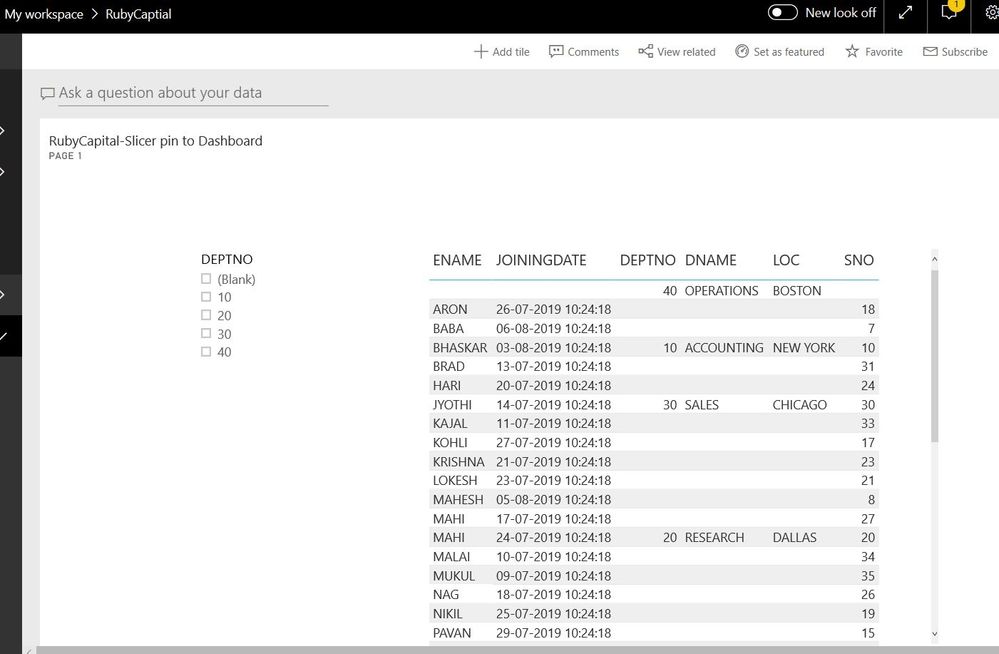
I wish to pin a slicer to the dashboard. I am not getting an option to pin a slicer.
When I am trying to pin only a particular visual to the dashboard, it becomes static. If I click on a visual, it goes to the source report of that visual.
Any idea on how to make the visual interactive, when it is pinned to the dashboard?
Solved! Go to Solution.
Hi RubyCapital,
As it is a limitation, we can't pin the slicers to the Dashboard.
work-around:-
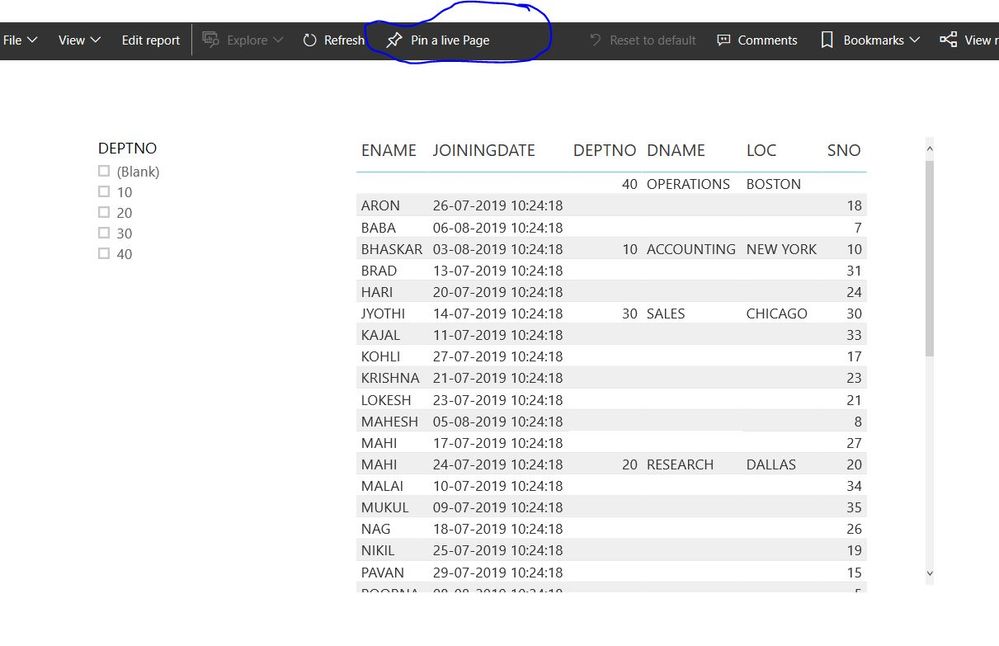
Pin the live page to the dashboard.
Hope it will resolve your issue.
If it will resolve your query, mark this as resolved.
Hi RubyCapital,
As it is a limitation, we can't pin the slicers to the Dashboard.
work-around:-
Pin the live page to the dashboard.
Hope it will resolve your issue.
If it will resolve your query, mark this as resolved.
Hi @Rubycapital ,
It is not supported to pin a slicer to the dashboard in Power BI currently .There is an idea about this issue, please vote it up, https://ideas.powerbi.com/forums/265200-power-bi-ideas/suggestions/9376467-pin-slicers-to-the-dashbo... , to improve the Power BI.
It is a place for customers provide feedback about Microsoft Office products . What’s more, if a feedback is high voted there by other customers, it will be promising that Microsoft Product Team will take it into consideration when designing the next version in the future.
We also submitted this feedback to the product group internally, so that the product group can pay attention to this problem and speed up the issue repairing.
Best Regards,
Amy
If this post helps, then please consider Accept it as the solution to help the other members find it more quickly.
Hi, please be sure to read the dashboard documentation because you a confuse about what they are.
https://docs.microsoft.com/en-us/power-bi/service-dashboards
You cannot do those things, the dashbord is not for that. The report is the only one that will manage interactive exploration data.
Regards,
Happy to help!
The Power BI Data Visualization World Championships is back! Get ahead of the game and start preparing now!
Check out the November 2025 Power BI update to learn about new features.