cancel
Showing results for 
Search instead for 
Did you mean: 

Get Fabric Certified for FREE during Fabric Data Days. Don't miss your chance! Request now

Reply
strongCoreZach
Advocate III
Advocate III

No Refresh Timestamp in Header when connected to Power BI Dataset

I recently changed my report to point to a power bi dataset, and now I'm not seeing the refresh date in the header in the service.


Before when report joined to dataset


pbiQ.png


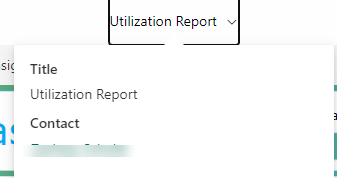
Now when connected to pbi dataset - no data updated information

strongCoreZach_2-1670939845137.png


2 REPLIES 2
v-xiaotang
Community Support
Community Support

Hi @strongCoreZach 

Thanks for reaching out to us.

Changing a report's data source and refreshing a data set are two different concepts. In theory, you are only adjusting the dataset to which the report points, but neither dataset is refreshed.


Best Regards,

Community Support Team _Tang

If this post helps, please consider Accept it as the solution to help the other members find it more quickly.

I think you missed the point of the question. The question is not why did they not see the timestamp change. His question is, why is there no display of a timestamp? ie there was a display but now there is no display.

Helpful resources

Announcements
November Power BI Update Carousel

Power BI Monthly Update - November 2025

Check out the November 2025 Power BI update to learn about new features.

Fabric Data Days Carousel

Fabric Data Days

Advance your Data & AI career with 50 days of live learning, contests, hands-on challenges, study groups & certifications and more!

FabCon Atlanta 2026 carousel

FabCon Atlanta 2026

Join us at FabCon Atlanta, March 16-20, for the ultimate Fabric, Power BI, AI and SQL community-led event. Save $200 with code FABCOMM.

Top Solution Authors
Top Kudoed Authors