
Forum Discussion
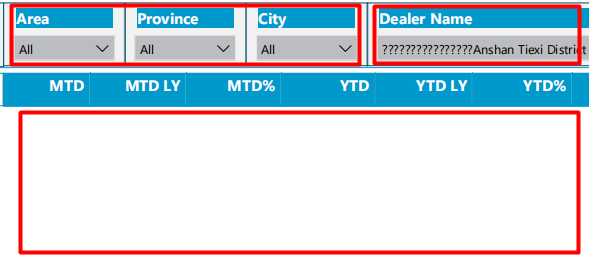
New feature issue:error while export report to PPT/PDF with filters
- 7 years ago
I can export report to PDF with filters well now. Thanks.
Hi Lilylv ,
Based on my test, I cannot reproduce your issue here. There are some Limitations and considerations about exporting report to pdf in Power BI servie.
Please refer to the online document. Did you use custom visuals in your report or something elso?
https://docs.microsoft.com/en-us/power-bi/consumer/end-user-pdf
Regards,
Frank
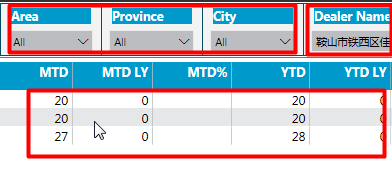
Thank you for the information. I read the doc your just shared and didn't find any limitation to my report. Before the new feature "export to pdf" is released on PBI service, I can export the report well to Powerpoint with filters on/or not on it(though at that time the filter values only can displayed as default), but now this issue occurrs to both PPT and PDF. And this happens to all of our report users...
- Lilylv7 years ago
Helper I
In addition, I've tried to use export to PDF for this report with filter "Area" applied and filter "DealerName" applied(two scenarios), there is no Chinese in the filter "Area", then the report generated successfully, but for other one "DealerName" with Chinese values it failed, it seems that when I generate this report PowerBI tried to translate the Chinese value to English but not recognized.