Forum Discussion

Anonymous's avatar
Anonymous
Not applicable
4 years ago
Solved

Need help with the below queries

  1. export pdf option - When we are trying to export any report as pdf, we are able to view only a snap of the top but unable to view the full dashboard, Is there a way to export the whole dashboard as pdf

  2. Perfomance - if we are connecting to multiple databases and when we connect directly to tables from db and not from sql query, Will that affect the performance of the dashboard.

3 Replies

  • Hey Anonymous ,


    1
    unfortunately, this is not possible


    2
    I do not fully understand, what you mean by table
    My assumption, the connection mode of the Power BI dataset to the underlying data sources is direct query. Some of the tables are using a SQL queries, if these queries are more complex than

    SELECT
    col1, col2, col3
    FROM
    table

    then it's a good idea to use tables instead of queries.
    From a performance point of view it's always a good idea to query data from a table instead of a SQL query that is joining multiple tables, transforming data, etc.

    Creating this table in your underlying databases can be complex.
    You are paying improved dashboard performance (using a table) with system complexity pushed upstream (to the data source).


    Hopefully, this helps to tackle your challenge.


    Regards,

    Tom  

  • Hi Anonymous 

    My response to your 2 questions.

    Answer 1 - If you choose PDF export then Power BI take a screenshot of the pages and show it as PDF pages. if you have table or matrix visual with scroll bar those will not be captured. This is how Power BI works. 


    Answer 2 - You can get the data from different databases inside Power BI. The report and dashboard performance is based on how effectively you write the DAX calculations. if you choose table or SQL query those will impact when you setup a refresh to the dataset (if you choose import). Always ensure Query folding is happending on the Power query layer.


    Thanks

    Hari

    Did I answer your question? Then please mark my post as the solution.
    If I helped you, click on the Thumbs Up to give Kudos.


    My Blog :: YouTube Channel :: My Linkedin


  • Anonymous's avatar
    Anonymous
    Not applicable

    Hi Anonymous ,


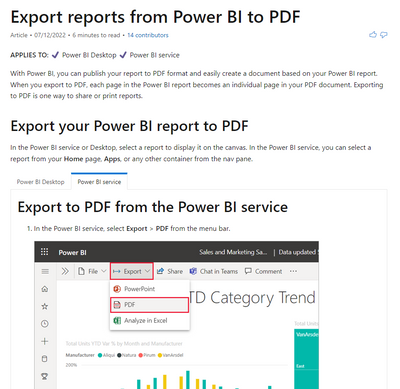
    Answer 1 - In Power BI service , cannot export Dashboard , we can only export Report as pdf, and the export report is a static report, cannot interact with it.


    For more details, you can read related document:Export reports to PDF - Power BI | Microsoft Docs 


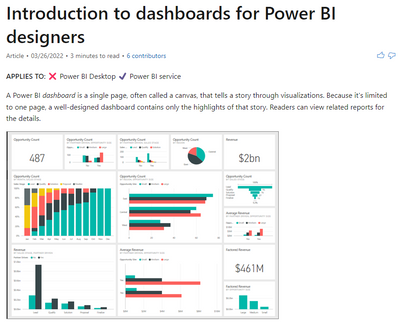
    Answer 2 – For Dashbord, it’s made of tile, a tile is a snapshot of your data, pinned to the dashboard. If your model is simple and dataset is not large, the influence for performance can ignore.

    For more details, you can read related document: Intro to dashboards for Power BI designers - Power BI | Microsoft DocsIntro to dashboard tiles for Power BI designers - Power BI | Microsoft Docs

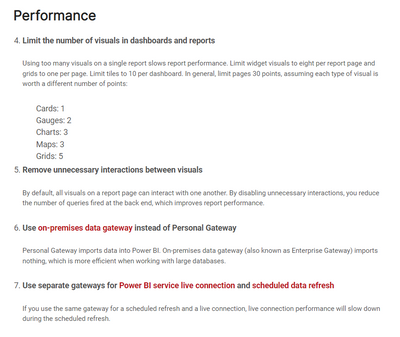
    For more details, you can read related document: Power BI Best Practices | MAQ Software InsightsUse Performance Analyzer to examine report element performance in Power BI Desktop - Power BI | Microsoft Docs


    Best regards,
    Community Support Team_ Binbin Yu
    If this post helps, then please consider Accept it as the solution to help the other members find it more quickly.