cancel
Showing results for 
Search instead for 
Did you mean: 

Get Fabric Certified for FREE during Fabric Data Days. Don't miss your chance! Request now

Reply
oappdev
Helper I
Helper I

Integrate - Power BI - Visualize the list. Access denied.

Good morning Power BI Community,


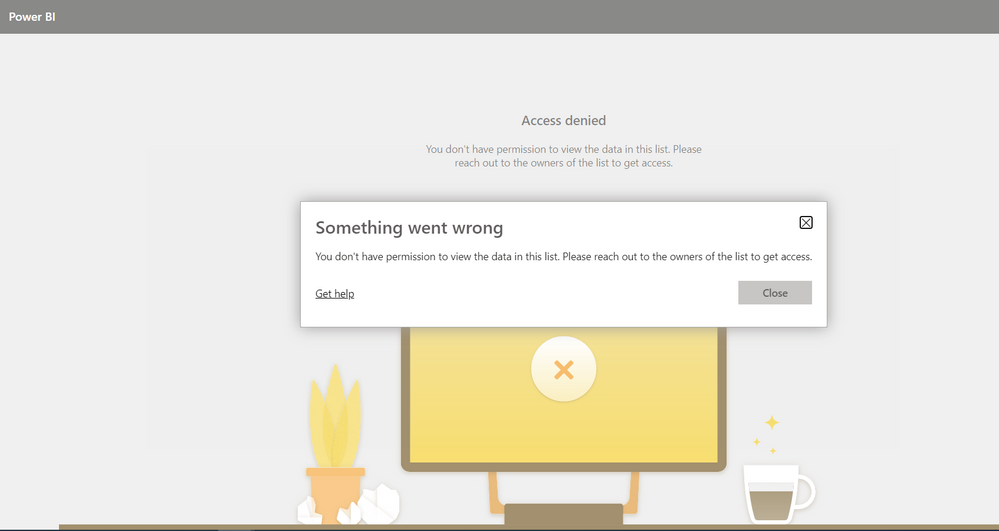
I have been researching all morning and can't understand why I'm getting this error when I'm the Site Owner of the SharePoint site(with full access).


Also, I have integration with SharePoint and Microsoft Lists enabled for the entire organization on the Power BI tenant.


Steps:

From SharePoint, I select-Integrate-> Power BI-> Visualize the list. Then I get the following error (Screenshot).


Am I missing a step?


Power BI.PNG


Thank you in advance.

1 ACCEPTED SOLUTION
v-henryk-mstf
Community Support
Community Support

Hi @oappdev ,


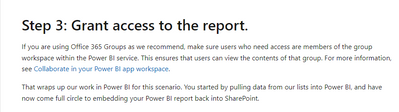
According to your description, for powerbi, you need to meet the requirement that the user with access rights must be a member of the group workspace in the Power BI service.

vhenrykmstf_0-1666236709854.png


Otherwise, even if you are the site owner of the SharePoint site, you still do not have permission to ask this report.


For more details, you can read below document:

Embed the Power BI project report in SharePoint Online - Power Apps | Microsoft Learn


If the problem is still not resolved, please provide detailed error information and let me know immediately. Looking forward to your reply.


Best Regards,
Henry


If this post helps, then please consider Accept it as the solution to help the other members find it more quickly.

View solution in original post

1 REPLY 1
v-henryk-mstf
Community Support
Community Support

Hi @oappdev ,


According to your description, for powerbi, you need to meet the requirement that the user with access rights must be a member of the group workspace in the Power BI service.

vhenrykmstf_0-1666236709854.png


Otherwise, even if you are the site owner of the SharePoint site, you still do not have permission to ask this report.


For more details, you can read below document:

Embed the Power BI project report in SharePoint Online - Power Apps | Microsoft Learn


If the problem is still not resolved, please provide detailed error information and let me know immediately. Looking forward to your reply.


Best Regards,
Henry


If this post helps, then please consider Accept it as the solution to help the other members find it more quickly.

Helpful resources

Announcements
November Power BI Update Carousel

Power BI Monthly Update - November 2025

Check out the November 2025 Power BI update to learn about new features.

Fabric Data Days Carousel

Fabric Data Days

Advance your Data & AI career with 50 days of live learning, contests, hands-on challenges, study groups & certifications and more!

FabCon Atlanta 2026 carousel

FabCon Atlanta 2026

Join us at FabCon Atlanta, March 16-20, for the ultimate Fabric, Power BI, AI and SQL community-led event. Save $200 with code FABCOMM.

Top Solution Authors
Top Kudoed Authors