Forum Discussion

How to share a content pack with a group?

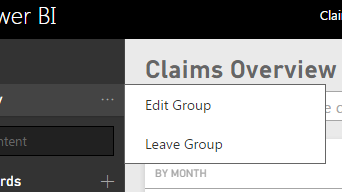
Thanks. I receive the following error message when I try to edit my group, though:
Oops, something went wrong.
Couldn't get group members
Activity Id270e0747-5d9e-4560-a148-eb3b65c4a715
Request Id2706f2d9-f0a3-cda8-af83-3563939b0b61
Status Code400
TimeTue Jul 28 2015 20:40:35 GMT+0100 (GMT Daylight Time)
Version11.0.9167.449
Cluster URIhttps://wabi-north-europe-redirect.analysis.windows.net
Okay, I'm no longer receiving an error when I edit the group - but I don't see a group email address anywhere. Am I looking in the wrong place? If this is not in the Edit Group page, then where will I find it?
- Olly11 years agoFrequent Visitor
Replying to myself:
It would appear I need Office 365 to manage a Power BI group. Is this right? I thought Power BI 2 was separate from 365... Do I really need 365 to enable the group functionality in Power BI?
- meysun11 years ago
Resolver IV
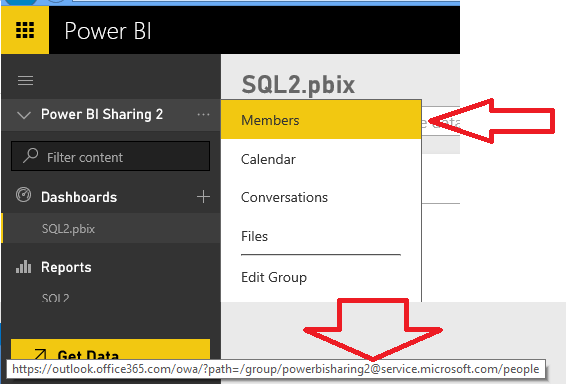
From Power BI when you mouse over the Members, you will see the group alias at the bottom. You can also click 'Members' and it will take you to the Groups home page and you can get the alias.
If you are a Power BI Pro feature, you get Groups automatically.