Forum Discussion
Anonymous
7 years agoNot applicable
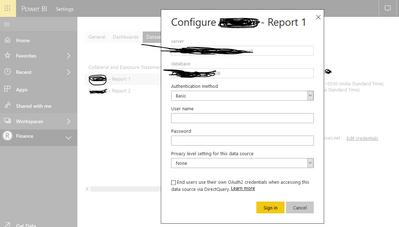
How to change Data source in Power Bi service
HI Team, Myquestion:How to change datasource in Power BI Service( I know how to change datasource in Power BI desktop) I need how to change in Power Bi service I database is Azure database Previou...
- 7 years ago
Hi Anonymous
We cannot change data source of a report from Power BI service.Below is the post for your reference.
https://community.powerbi.com/t5/Desktop/Changing-Data-Source/td-p/497753
Regards,
peter-deagon
3 years agoNew Member
When needing to change SQL server details and you are connecting to the SQL database via an On-premises Data Gateway, the best way I have found to do this is:
- Download the dataset from Power BI online as a .pbix file.
- Open the file in Power BI desktop.
- Go to File > Options and settings > Data source settings.
- Ensure that 'Data sources in current file' is selected, choose the data source the needs to be changed, then click Change Source.
- Update the server and database name as required and click OK.
- Click Edit Permissions and enter the relevant credentials. Click Save and OK.
- Close the Data source settings window.
- You will be prompted that there are pending changes. Click Apply changes.
- Click Publish. You will be prompted to save. Click Save.
- Choose the Power BI workspace that your data source is in.
- You will be prompted to replace the dataset. Click Replace.
The changes will be published to Power BI online. You may need to re-map the data source in Gateway connections.