Forum Discussion

How do you change the data label number format in Power BI Charts?
- 11 years ago
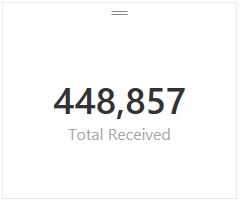
I tried the following with one of my calcuations in "Power BI Desktop" and I was able to get the type of formatting that you were looking for vs. the default #.##K type formatting you had in your screenshot. Unfortuneatly that only works for card style tyles since it changes the numeric format to text (And text style calcs can't be used in bar graphs and other charts)
Total Received = FORMAT(SUM(Receipts[Receipts]),"#,###") -- This measure formula rendered like this:
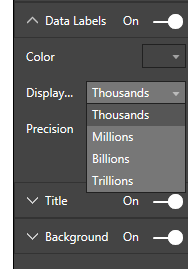
Based on the current version the only changes you can make to label formatting for measures are the following:
Hope this helped. I would expect that we'll see more control for formatting in a future build at some point although I don't know when that will happen.


 Memorable Member
click on a chart then click on the paint brush icon ( on the Visualizations section on the right) to see the formatting options. then click on Data Labels and now you can adjust the format.
Thanks for this!!