Join us at FabCon Atlanta from March 16 - 20, 2026, for the ultimate Fabric, Power BI, AI and SQL community-led event. Save $200 with code FABCOMM.
Register now!The Power BI Data Visualization World Championships is back! Get ahead of the game and start preparing now! Learn more
Hi,
We added a guest user via Azure AD. This guest user is an employee of our company under a different domain name. Guest is a pro license user
1. Tenant settings
2. Added the New Guest User in Azure AD
3. Guest accepted invite
4. Workspace admin shared the Workspace to the guest user as Viewer.
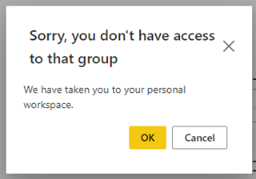
Result:
What am I missing here? Appreciate your help on this one!
Solved! Go to Solution.
Hi @GilbertQ thank you for your response. I did share the tenant URL but still he was unable to access the workspace. What we did is removed him as a guest user and added him again. He was able to access the tenant URL this time around.
Hi, @Anonymous
Check whether to grant workspace permissions to the user individually or put him in a group.
Have you checked the access permissions of the guest user to the data source and dataset?
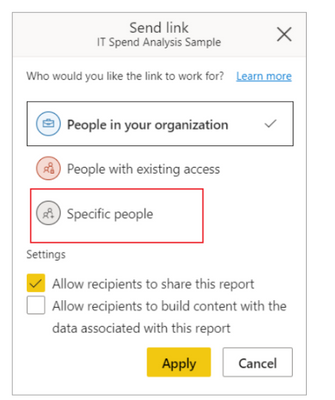
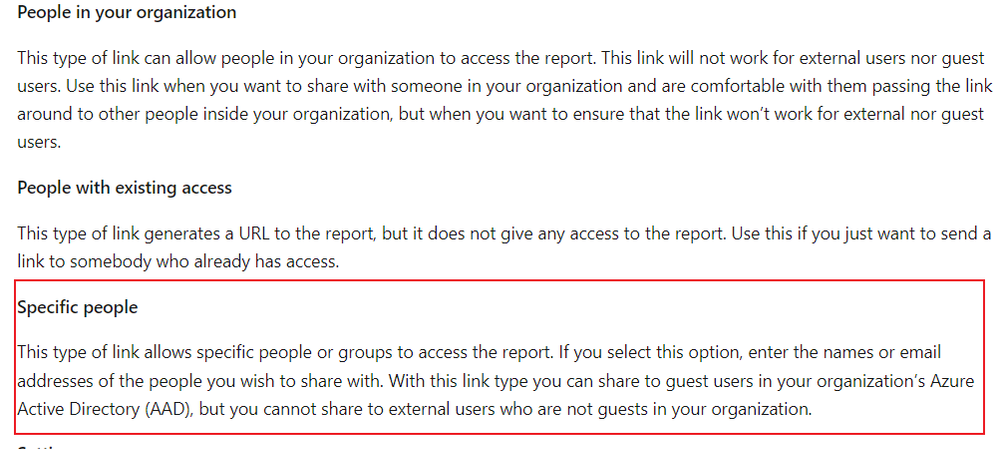
Can you try to directly share the report to the guest user? Select specific prople section.
Did I answer your question ? Please mark my reply as solution. Thank you very much.
If not, please feel free to ask me.
Best Regards,
Community Support Team _ Janey
HI @v-janeyg-msft thank you for your reply, I also tried sharing the report directly but it did not work. The link just doesnt load on his end. Finally we made it work by adding him anew to Azure AD.
Hi @Anonymous
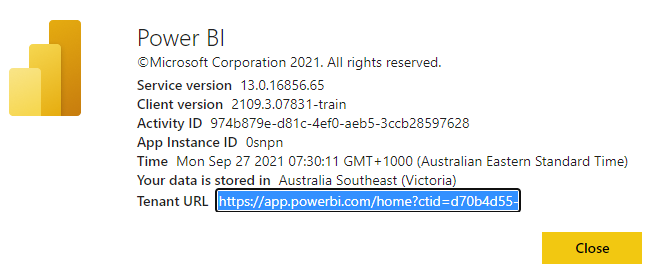
What happens if you share the entire Power BI Service link with the "ctid?" option and see if that works
You can get this detail by going into the Power BI Service.
Then click on question mark "?" and then about Power BI
Then click on Tenant URL as shown below and send that to the external user.
Hi @GilbertQ thank you for your response. I did share the tenant URL but still he was unable to access the workspace. What we did is removed him as a guest user and added him again. He was able to access the tenant URL this time around.
The Power BI Data Visualization World Championships is back! Get ahead of the game and start preparing now!
| User | Count |
|---|---|
| 56 | |
| 55 | |
| 31 | |
| 18 | |
| 14 |