Forum Discussion

Dynamic RLS solution is not working for newly added users
 8 years ago
Hi Anonymous,
I found the issue, manual refresh of dataset in service was failing.
There was no error in gateway integration. I removed the connection from gateway and readded, then the refresh the dataset and it started to work.
Now Joe is able to see his data as well in dynamic RLS report.
Thanks!

HI Sajna_M,
AFAIK, current dynamic RLS support to assign roles to security group members.
In my opinion, I'd like to suggest you try add these users to a office 365 security groups then assign roles to that groups.
It will batch add roles to whole group members so you can simply manage roles for new members.
Row-level security (RLS) with Power BI
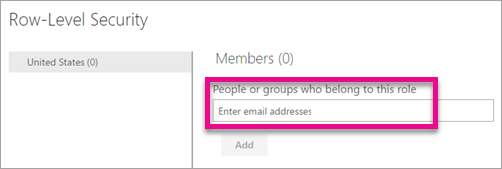
Add members
You can add a member to the role by typing in the email address, or name, of the user, security group or distribution list you want to add. This member has to be within your organization. You cannot add Groups created within Power BI.
Create, edit, or delete a security group in the Office 365 admin center
Otherwise you need to manually assign roles to new users each time after finish add users to your database.
Regards,
Xiaoxin Sheng
Hi Xiaoxin Sheng,
My problem is not adding user in role under PBI service, I can add user or groups here. And I don't mind adding the new user again and again.
My Scenario is I added a user Joe.xyz for a company XYZ in SQL dataset and company role in dataset secuirty permission page.
I refresh the dataset, now my expectation is Joe.xyz should able to view company data XYZ. But the actual is, Joe is unable to see the data of XYZ.
To fix it, I goto desktop version and refresh the data and publish it again, then it is working for Joe.
So the question is when we refresh the dataset in power bi service, why Joe is was unable to view the report data of XYZ?
Regards,
Sajna M
- Anonymous8 years agoNot applicable
Hi Sajna_M,
What's wrong with joe ? Can't view records, show error or other? In addition, have you try use 'test with role' feature to test on power bi service?
BTW, I'd like to suggest you to check detail records to confirm if these records has update to power bi service dataset.
Regards,
Xiaoxin Sheng
- Sajna_M8 years agoFrequent Visitor
Hi Anonymous,
I found the issue, manual refresh of dataset in service was failing.
There was no error in gateway integration. I removed the connection from gateway and readded, then the refresh the dataset and it started to work.
Now Joe is able to see his data as well in dynamic RLS report.
Thanks!