Fabric Data Days starts November 4th!
Advance your Data & AI career with 50 days of live learning, dataviz contests, hands-on challenges, study groups & certifications and more!
Get registered- Power BI forums
- Get Help with Power BI
- Desktop
- Service
- Report Server
- Power Query
- Mobile Apps
- Developer
- DAX Commands and Tips
- Custom Visuals Development Discussion
- Health and Life Sciences
- Power BI Spanish forums
- Translated Spanish Desktop
- Training and Consulting
- Instructor Led Training
- Dashboard in a Day for Women, by Women
- Galleries
- Data Stories Gallery
- Themes Gallery
- Contests Gallery
- QuickViz Gallery
- Quick Measures Gallery
- Visual Calculations Gallery
- Notebook Gallery
- Translytical Task Flow Gallery
- TMDL Gallery
- R Script Showcase
- Webinars and Video Gallery
- Ideas
- Custom Visuals Ideas (read-only)
- Issues
- Issues
- Events
- Upcoming Events
Get Fabric Certified for FREE during Fabric Data Days. Don't miss your chance! Request now
- Power BI forums
- Forums
- Get Help with Power BI
- Service
- Re: Dataflow showing empty tables in Power Bi desk...
- Subscribe to RSS Feed
- Mark Topic as New
- Mark Topic as Read
- Float this Topic for Current User
- Bookmark
- Subscribe
- Printer Friendly Page

- Mark as New
- Bookmark
- Subscribe
- Mute
- Subscribe to RSS Feed
- Permalink
- Report Inappropriate Content
Dataflow showing empty tables in Power Bi desktop
Hi
I have dataflow with in total 10 Entities on a Premium account.
I am having trouble with tables showing data in Dataflow but they are empty in Power Bi Desktop.
All marked with bold shows data in Power BI Desktop.
Entity1: loads and combines .xslx files from a Sharepoint folder. - currently 3 files about 9 mb in size each
Entity:2 Manually entered data
Entity3: load data from Excel sheet in Sharepoint folder and merge with Entity2
Entity4: Use Entity3 as reference and replace values and unpivot
Entity5: Use entity1 as Reference, merge with entity3 and make calculations
Entity6-9: Use entity1 as Reference, merge with entity3 and make calculations - Similar setup as Entity5 but with different calculations
Entity10: Combines Entity5-Entity9 - In Power Bi Desktop it is only showing data from Entity5.
In all entities I can see data in the Dataflow when editing in the Web.
- I have made sure that I have actually refreshed the data in the dataflow after saving.
- I have tried to refresh in Power Bi Desktop
- I have tried to remove permissions to Dataflow in Power BI Desktop and added it again.
I cannot figure why entity6-9 is somehow different from Entity5.
I am not getting any error messsage in either Power BI Desktop or Dataflow.
Can you help out?
Br
Jakob


- Mark as New
- Bookmark
- Subscribe
- Mute
- Subscribe to RSS Feed
- Permalink
- Report Inappropriate Content
Hi @jskipper
You might refer to these similar posts:
https://community.powerbi.com/t5/Service/Data-flow-showing-empty-data/m-p/890971
If still not help, please kindly raise it to the support team for better advice:
https://powerbi.microsoft.com/en-us/support/
If this post helps, then please consider Accept it as the solution to help the other members find it more
quickly.


- Mark as New
- Bookmark
- Subscribe
- Mute
- Subscribe to RSS Feed
- Permalink
- Report Inappropriate Content
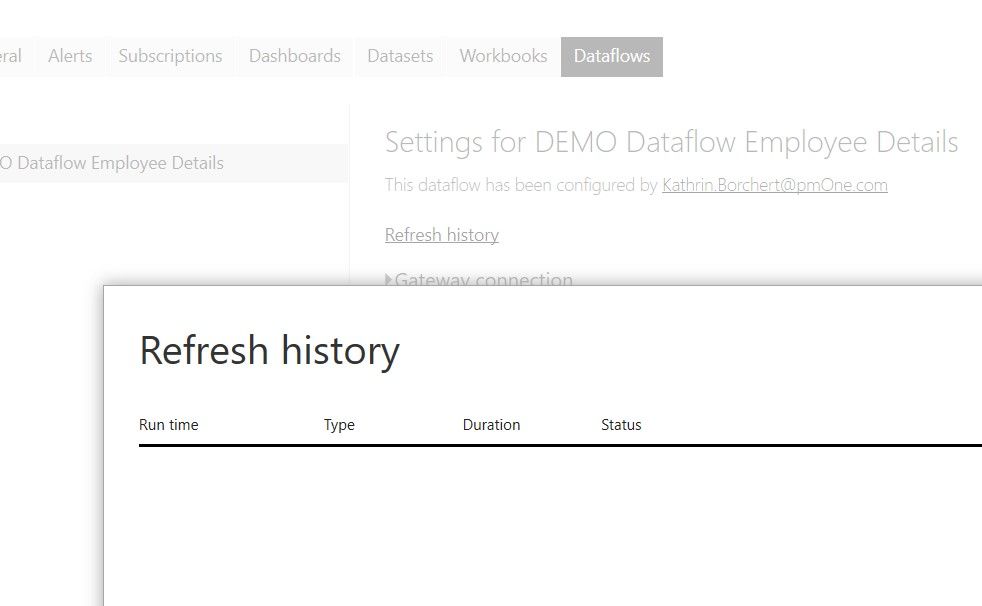
Which error messages do you have under settings in the dataflow "refresh history"?
Best,
Kathrin
- Mark as New
- Bookmark
- Subscribe
- Mute
- Subscribe to RSS Feed
- Permalink
- Report Inappropriate Content
Sound like a weird problem... I used also Sharepoint and it works fine. Do you try to rebuild the dataflow? (probably already done) Best, Kathrin
- Mark as New
- Bookmark
- Subscribe
- Mute
- Subscribe to RSS Feed
- Permalink
- Report Inappropriate Content
Yes. It is actually the rebuilt version as the other one did not refresh.
I have done a lot of trial and error with Dataflow and I must say that I feel the product is very inmature. In general in the development I have had many different error messages. I think it is very frustrating that you can not simply copy and paste the code from Power BI Desktop and then it just works but there is always a need to make corrections. Mayde due to the flow is combining files from Sharepoint.
I am missing my great experience with Alteryx that is much faster and better to do data transformations. Unfortunately I do not have that option at the company I am at currently.
- Mark as New
- Bookmark
- Subscribe
- Mute
- Subscribe to RSS Feed
- Permalink
- Report Inappropriate Content
Fun Fact: there is a way you can actually copy and paste the code from power query advanced editor and put it into blank query in dataflow. XD But I don't know If this will solve your problem.
But I musst agree the dataflow is not conviniende - also the refresh of the report must triggered by a power automate.
Best,
Kathrin
- Mark as New
- Bookmark
- Subscribe
- Mute
- Subscribe to RSS Feed
- Permalink
- Report Inappropriate Content
I am aware that you copy code from PQ advanced editor becuase this is how I did it, but I copied the code bit by bit as I was getting all kinds of error messages if I toke the full code. I believe it would be much simpler to do if I did not have to combine files from a Sharepoint folder, which mean it was 3-4 additional queries to make that work.
- Mark as New
- Bookmark
- Subscribe
- Mute
- Subscribe to RSS Feed
- Permalink
- Report Inappropriate Content
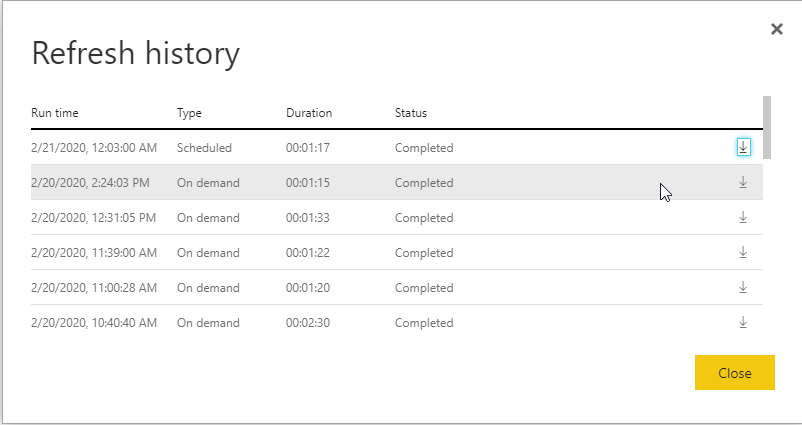
I do not get an error message.
Data is also available when looking in the Dataflow.
- Mark as New
- Bookmark
- Subscribe
- Mute
- Subscribe to RSS Feed
- Permalink
- Report Inappropriate Content
Thanks for sharing but I had already seen these threads but without any luck.
Br
Jakob

Helpful resources

Fabric Data Days
Advance your Data & AI career with 50 days of live learning, contests, hands-on challenges, study groups & certifications and more!

Power BI Monthly Update - October 2025
Check out the October 2025 Power BI update to learn about new features.

FabCon Atlanta 2026
Join us at FabCon Atlanta, March 16-20, for the ultimate Fabric, Power BI, AI and SQL community-led event. Save $200 with code FABCOMM.

| User | Count |
|---|---|
| 54 | |
| 18 | |
| 11 | |
| 11 | |
| 10 |


