Forum Discussion

bobrin Advocate III
11 years agoAdvocate IIIDashboard / Report Card Not Showing Full Decimal Precision
Dashboard Card is displaying a % Measure. The field is set with 4 decimal places (all placed populated in the model). When displaying a tile in a report or the dashboard the tile is still rounded t...

Blinks
10 years agoRegular Visitor
Hi
Did you ever resolve this?
Seems to be rounding to nearest integer in my case...
Thanks!
 Anonymous10 years agoNot applicable
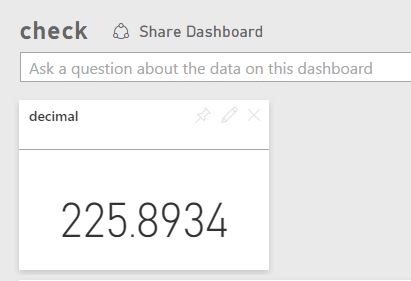
Blinks Looks like the site now has the ability to go to any level of precision (Don't see this in Desktop yet). You need to make sure that the data set has the correct data type with the precision level that you are looking to define in the card. I tested out to a level of 4 and it worked as expected. Here is a snapshot of the report element as a tile on the dashboard.