cancel
Showing results for 
Search instead for 
Did you mean: 

The Power BI Data Visualization World Championships is back! Get ahead of the game and start preparing now! Learn more

Reply
Baha
Regular Visitor

Cant filter using hiearchy levels

Hello Guys, I have an issue with one of my reports when selecting a hierarchy to add to a matrix. When doing so, the matrix doesn't display any values when using a slicer to filter members of a particular hierarchy. Therefore, i can only display all attributes in that hierarchy in the row element of a table or none at all. I also tried to apply a visual level filter to see if that would work but i still cannot select individual levels to view data for.


Could the error be from the way the hierarchy has been structured in the data source (cube) or PowerBI cannot handle particular hierarchies?


Your help in this matter is much appreciated.


Regards,


Baha

5 REPLIES 5
v-qiuyu-msft
Community Support
Community Support

Hi @Baha,


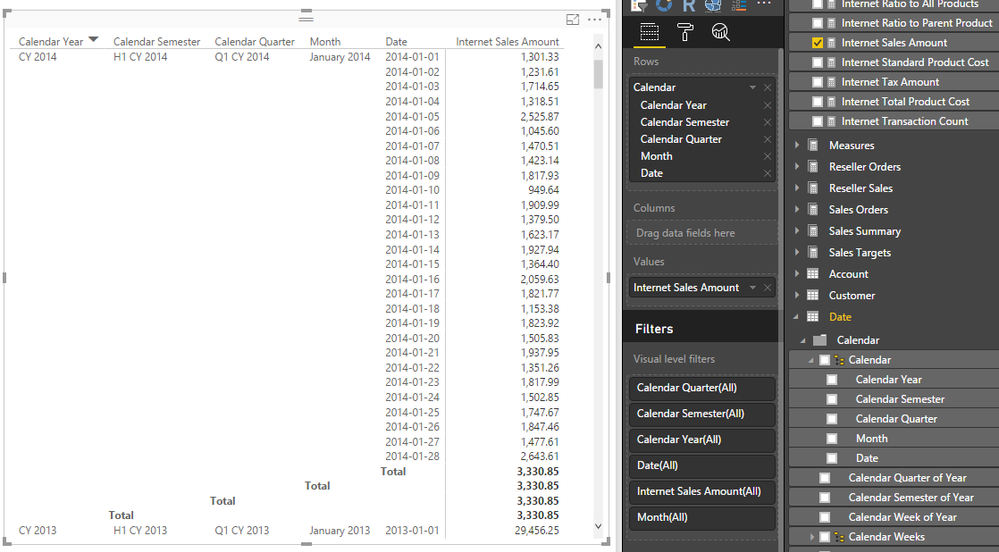
Based on my test, when I connect to SSAS cube in live connection, then drag Calendar hierarchy to matrix Rows property and one measure 'Internet Sales Amount' to Value property. The matrix displays like below:


q2.PNG


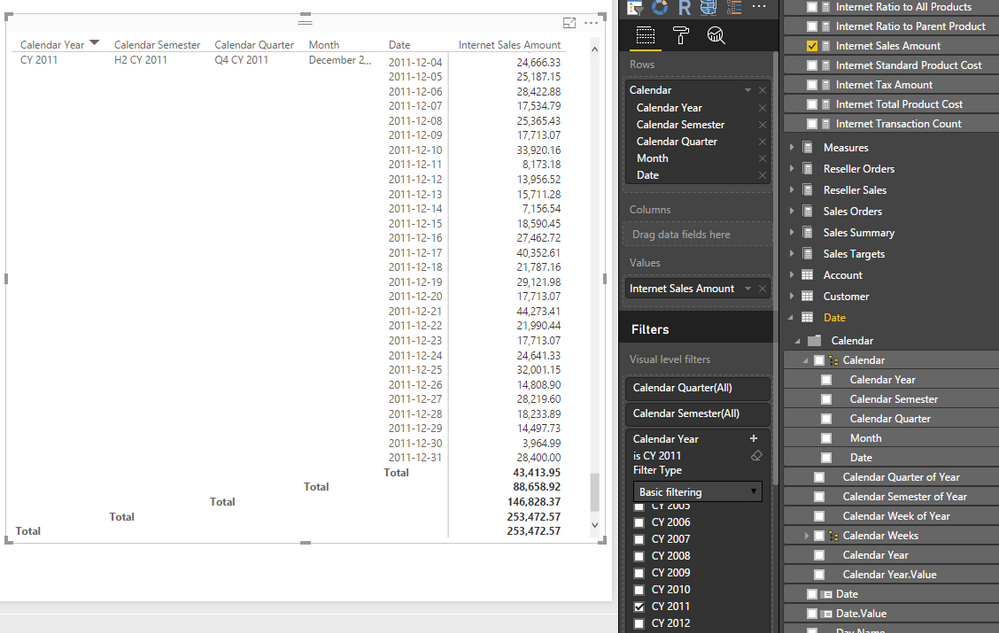
If I check value ( 'CY 2011' ) in Visual level filter for Calendar Year, matrix can display corresponding records. See:


q4.PNG


Please note we can only filter records rather than hierarchy levels. It means if the Calendar hierarchy contains many columns (eg: contains 5 levels), when we place Calendar hierarchy in a matrix, there are 5 levels always though we filter values use slicer or visual level filter.  So what you get is expected.


Best Regards,
Qiuyun Yu

Community Support Team _ Qiuyun Yu
If this post helps, then please consider Accept it as the solution to help the other members find it more quickly.

Hi @v-qiuyu-msft,


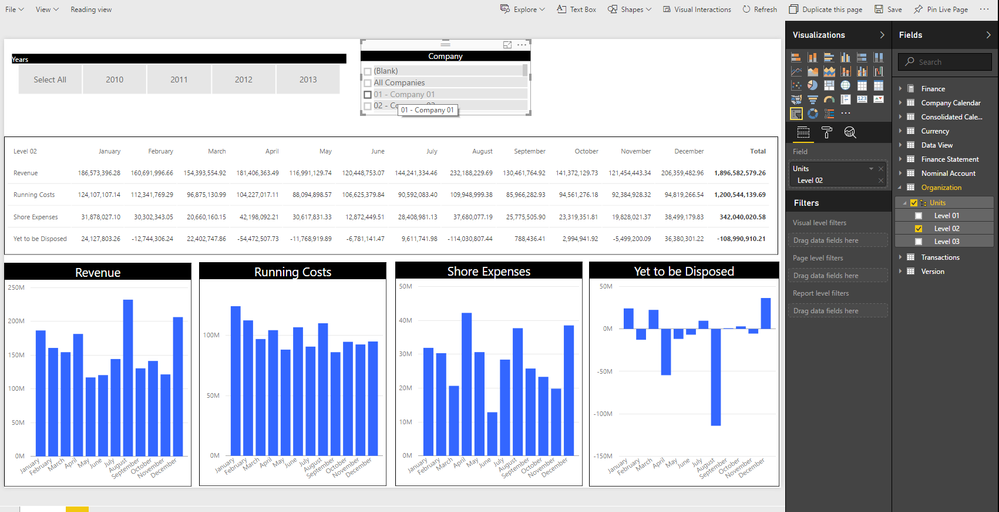
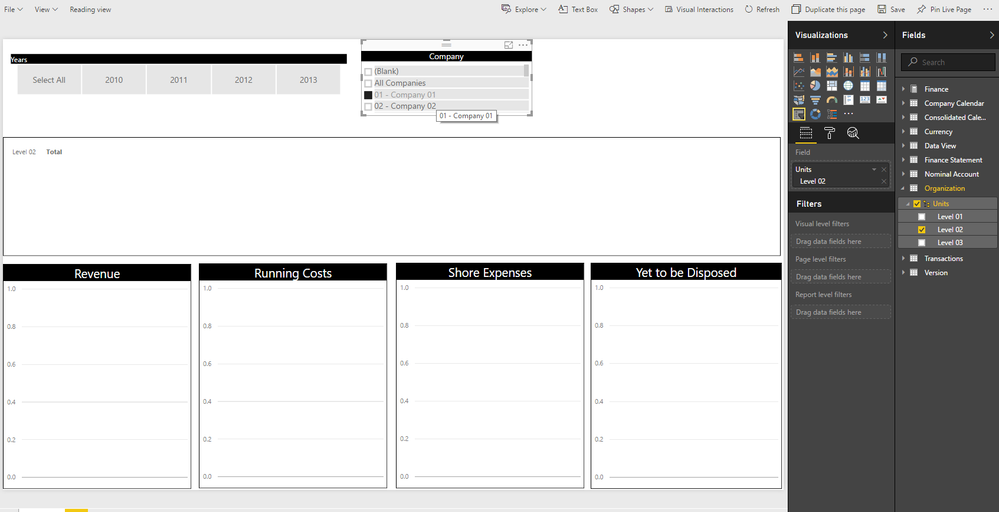
Thank you very much for the response, all make sense. However, as shown in the screenshot i have attached, i cannot for example filter the matrix to display figures for a particular company in a hierarchy: ("units" hierarchy in the organization dimension)


Regards,


BIBlog1.pngBIBlog2.png

Baha

Hi @Baha,


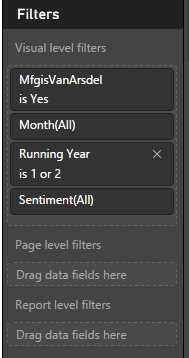
In your scenario, it seems there are no data based on current conditions. Please check if you have added any Visual level filter, Page level filter or Report level filter conditions to exclude the data for "01-Company 01".


a1.PNG


Best Regards,
Qiuyun Yu

Community Support Team _ Qiuyun Yu
If this post helps, then please consider Accept it as the solution to help the other members find it more quickly.

Hi @v-qiuyu-msft, thanks for the response again but it is weird that when i have used a custom visual (hierarchical slicer) from he gallery it seems to have corrected the behavior of my report. I am 100% sure there is data as when i do not select any slicer settings i get records for all companies. Whats the explanation for this case?


Many thanks,


Baha

Hi @Baha,


Please check the "02-Company 02" or "All companies" in the slicer issue to see if the charts display as blank or not. I guess there might be no records related to the "01-Company 01" in those charts.


Best Regards,
Qiuyun Yu

Community Support Team _ Qiuyun Yu
If this post helps, then please consider Accept it as the solution to help the other members find it more quickly.

Helpful resources

Announcements
Power BI DataViz World Championships

Power BI Dataviz World Championships

The Power BI Data Visualization World Championships is back! Get ahead of the game and start preparing now!

November Power BI Update Carousel

Power BI Monthly Update - November 2025

Check out the November 2025 Power BI update to learn about new features.

FabCon Atlanta 2026 carousel

FabCon Atlanta 2026

Join us at FabCon Atlanta, March 16-20, for the ultimate Fabric, Power BI, AI and SQL community-led event. Save $200 with code FABCOMM.