
Join us at FabCon Atlanta from March 16 - 20, 2026, for the ultimate Fabric, Power BI, AI and SQL community-led event. Save $200 with code FABCOMM.
Register now!The Power BI Data Visualization World Championships is back! Get ahead of the game and start preparing now! Learn more
Hello,
My reports in Desktop is showing the correct Arabic font , when I Publish the report to the service for the first time it is dispalying the correct Arabic font.
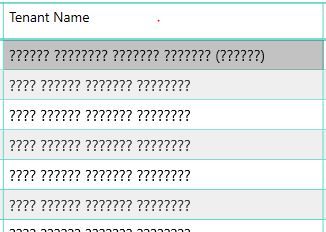
The issue comes when I refresh the report in the service , the Arabic font is showin as ??????? as in below screen shot
Hi
I did changed the data type for the field to Text (eventhough it was text only!!!!) , then saved and published the report and it is working fine.
Hope this will help others
Thanks to everyone
Hi @nadir ,
I can't reproduce your issue. Can you please share more details?
If you could post a dummy file, we can test it and find the issue easier.
Best Regards,
Xue Ding
If this post helps, then please consider Accept it as the solution to help the other members find it more quickly.
Thanks for your reply and sorry for my late reply.
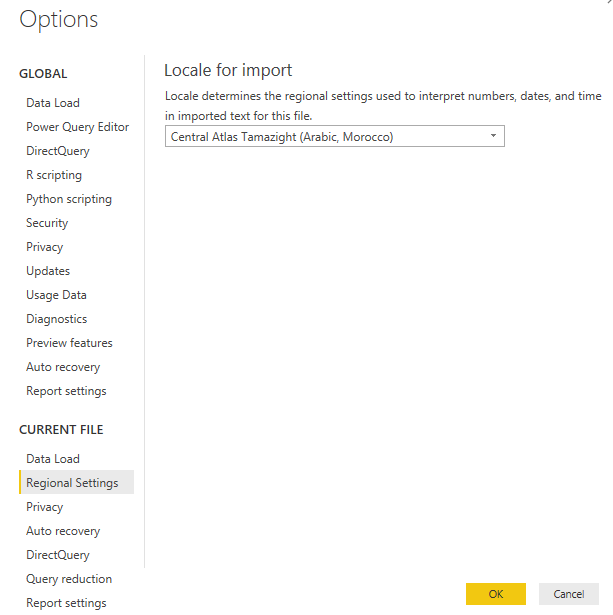
1. I set the region settings for current file to Arabic Suadi Arabia
2. Regarding setting the data type to country or country/region , the data in this field is a text data which has the Tenant Name in Arabic , but eventhough I tried to change it but no luck.
3. As I explaind in my post , the data is correctlty displayed in Power Bi Desktop , the problem is only when I publish the report to the service.
4. I am connecting to SQL server data , will you please tell my how to share a dummy file from the data.
Best
The Power BI Data Visualization World Championships is back! Get ahead of the game and start preparing now!
| User | Count |
|---|---|
| 56 | |
| 55 | |
| 32 | |
| 18 | |
| 14 |