Forum Discussion

Alternate windows credentials for odata source
Hello I have created reports based on odata datasource. I am using alternate windows credentials to connect to this datasource in powerbi desktop. Everything works fine and reportse have been created.
Next, I published reports to powerbi service and want to set up refresh period of datasource.
In the data sets settings tab I see warning that I have to enter credentials:
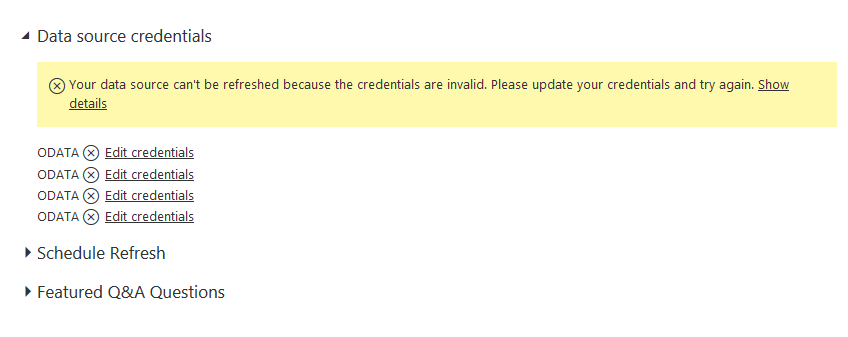
So, I want to edit credentials. As I stated earlier, I am using alternate windows credentials to sign in into data source and I want to use them to sign in and refresh data source.

But when I choose Windows authentication method as Windows, there is no possibility to change credentials to alteernate.
Could anybody advise me how to refresh datasource using alternate windows credentials?
Thx
4 Replies
 mstefancikAdvocate IV
Idea was created on link: http://community.powerbi.com/t5/Service/Alternate-windows-credentials-for-odata-source/m-p/10964
Vote for it.
 tadawIDAdvocate I
Same situation in my case... only Windows available as credentials option. Strangely enough my Personal Gateway claims being online, but at the same time my 'Data Gateway' settings says 'You don't have any data gateways.'
 jimmygo03New Member
I have same issue that Power BI Service does not provide fields to enter alternate window credential and this prevents me from refreshing my dataset.
- jimmygo03New Member
I have same issue that Power BI Service does not provide fields to enter alternate window credential and this prevents me from refreshing my dataset.