Background:
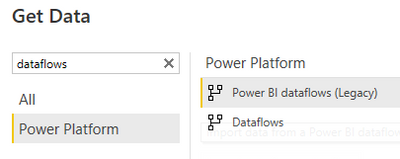
I have a dataflow connected to an on-premises SQL server. The SQL server has be configured in our gateway. The dataflow is refreshing correctly automatically and on demand.
I have a dataset (and report) connected to the dataflow. The PBIX file can connect to the dataflow and refreshes on demand in the desktop application.
I published this report to a Premium Capacity workspace and setup automatic refreshes for twice a week.
Under settings for the data set:
Data source credentials
PowerPlatformDataflows (admin has granted access, credentials are not required)Show in lineage view
However, every time I refresh the dataset (whether automatically or manually from the workspace) I am receiving the following data source error
| Data source error: | {"error":{"code":"DM_GWPipeline_Gateway_InvalidConnectionCredentials","pbi.error":{"code":"DM_GWPipeline_Gateway_InvalidConnectionCredentials","parameters":{},"details":[{"code":"DM_ErrorDetailNameCode_UnderlyingErrorCode","detail":{"type":1,"value":"-2147467259"}},{"code":"DM_ErrorDetailNameCode_UnderlyingErrorMessage","detail":{"type":1,"value":"The credentials provided for the PowerPlatformDataflows source are invalid. (Source at PowerPlatformDataflows.)"}},{"code":"DM_ErrorDetailNameCode_UnderlyingHResult","detail":{"type":1,"value":"-2147467259"}},{"code":"Microsoft.Data.Mashup.CredentialError.DataSourceKind","detail":{"type":1,"value":"PowerPlatformDataflows"}},{"code":"Microsoft.Data.Mashup.CredentialError.DataSourceOriginKind","detail":{"type":1,"value":"Web"}},{"code":"Microsoft.Data.Mashup.CredentialError.DataSourceOriginPath","detail":{"type":1,"value":"https://api.powerbi.com/powerbi/globalservice/v201606/clusterdetails"}},{"code":"Microsoft.Data.Mash... |
| Cluster URI: | WABI-AUSTRALIA-SOUTHEAST-redirect.analysis.windows.net |
Help? 😞