cancel
Showing results for 
Search instead for 
Did you mean: 

The Power BI Data Visualization World Championships is back! Get ahead of the game and start preparing now! Learn more

Reply
Anonymous
Not applicable

SSRS Shared Dataset: date format stuck in MMDDYYYY in Power BI Desktop

Hi all,


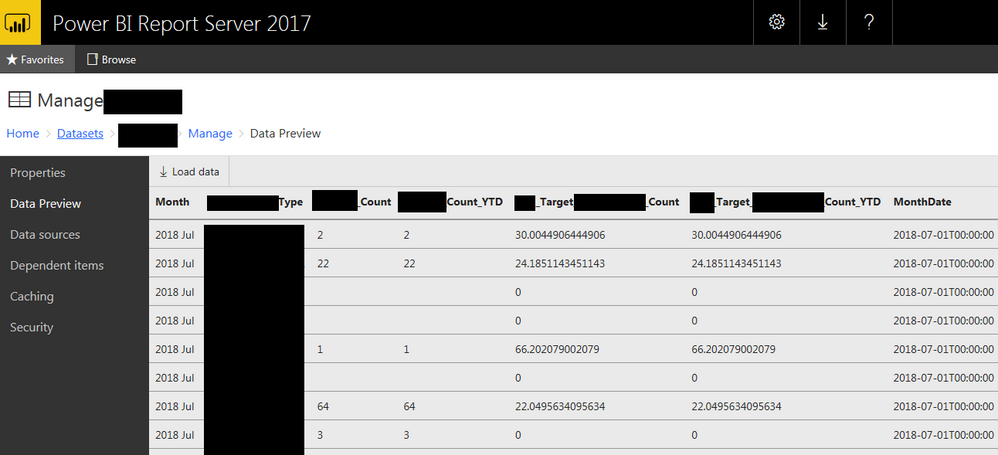
I've deployed a Shared Dataset to my Report Manager (ReportServer) and this shared dataset includes a DateTime column, here is a preview in RM (with "MonthDate" being my DateTime column):


image.png


I am then connecting to this Shared Dataset via the oData feed method, which is mostly pulling through OK into the Power Query Editor... except that my "MonthDate" column is returning the date as "MM/DD/YYYY..." and I can't seem to change this despite using the "Change Type -> Use Local" settings "English (Australia)". Both of the regional settings on my PC and in Power BI Desktop options are set to "English (Australia)":


Compare the "Month" and "MonthDate" columns below:

image.png


I wish to set the MonthDate column to DD/MM/YYYY so I can use the Time Intelligence (and time slicer) correctly.


Any ideas on what to check?


Cheers.


0 REPLIES 0

Helpful resources

Announcements
November Power BI Update Carousel

Power BI Monthly Update - November 2025

Check out the November 2025 Power BI update to learn about new features.

Fabric Data Days Carousel

Fabric Data Days

Advance your Data & AI career with 50 days of live learning, contests, hands-on challenges, study groups & certifications and more!

FabCon Atlanta 2026 carousel

FabCon Atlanta 2026

Join us at FabCon Atlanta, March 16-20, for the ultimate Fabric, Power BI, AI and SQL community-led event. Save $200 with code FABCOMM.